NC Administrators can create user accounts for experts belonging to their National Committee.
Steps
-
Navigate to NC User Management
-
Click Create User
-
Enter the user’s Last Name
-
Verify the user does not already exist
-
Complete the required profile information
-
Click Create & Preview Profile
Required Fields
-
Title
-
Email address
-
Organization / Company
📸 Create User Form
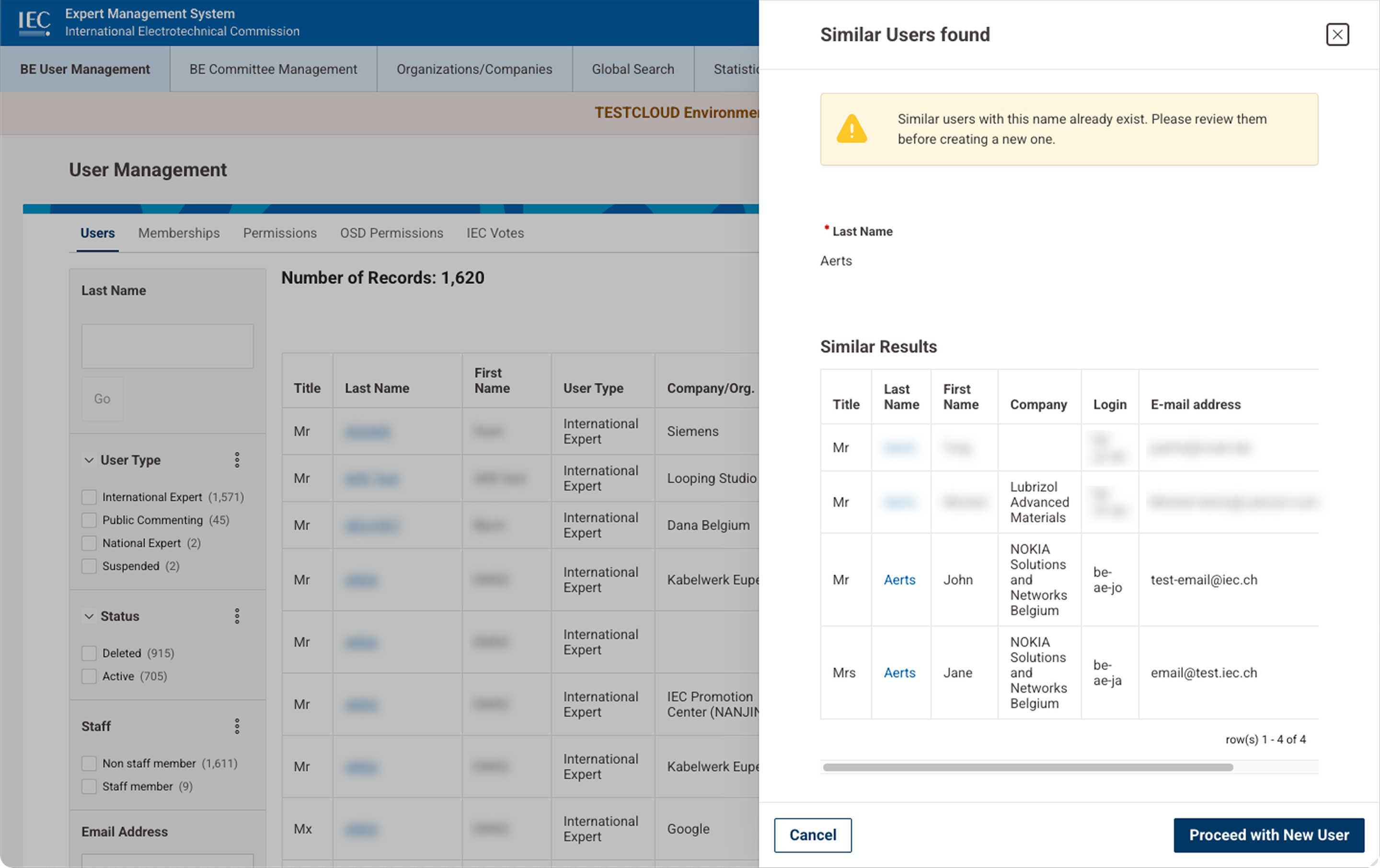
Create User form Duplicate check
🎥 Creating a New User
14. Updating User Information
Administrators can update user profiles when necessary.
Editable information may include:
-
contact details
-
organization
-
expert type
-
additional profile information
Steps
-
Search for the user
-
Open the User Profile
-
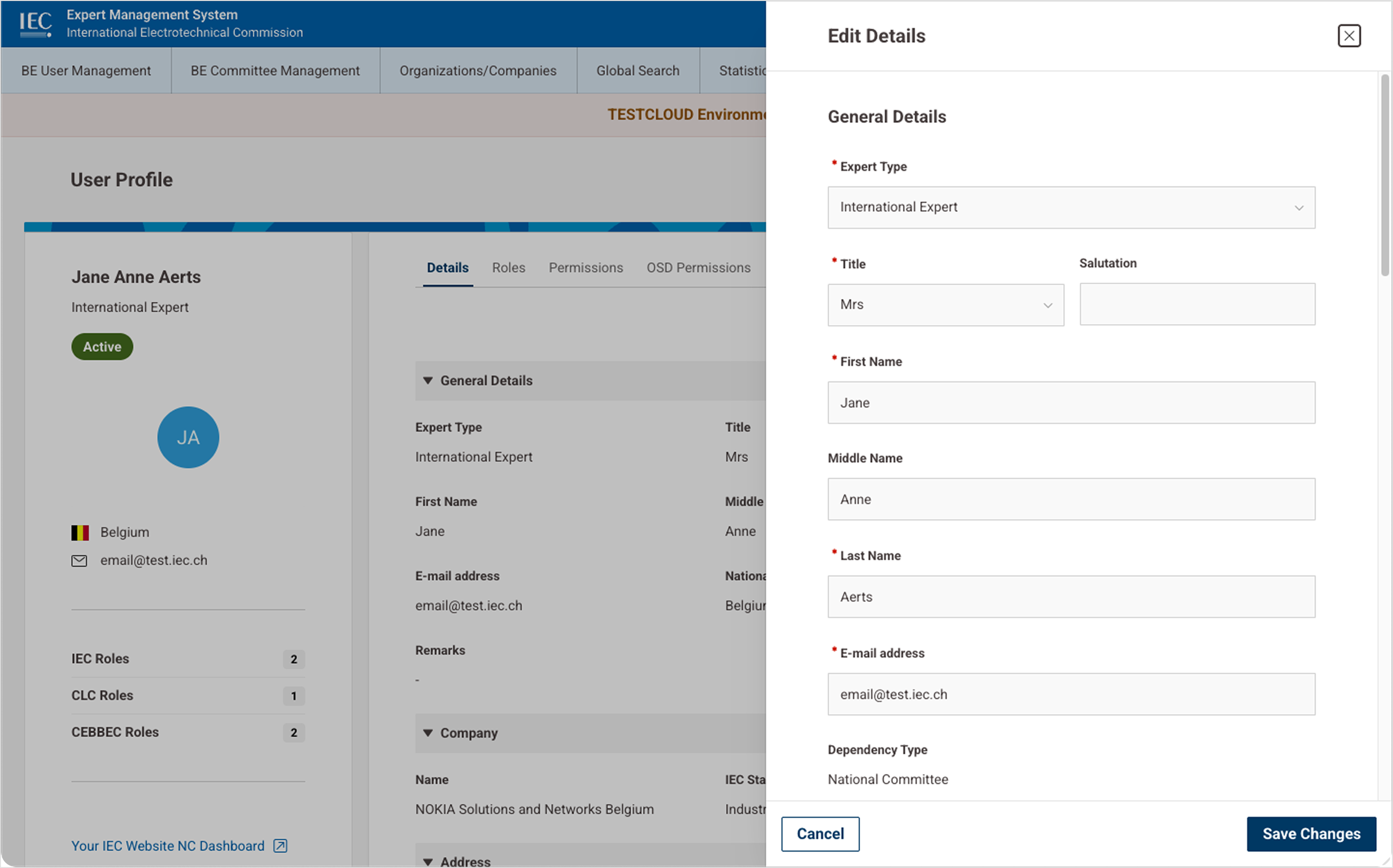
Click Edit Details
-
Modify fields
-
Click Save
📸 Edit User Profile