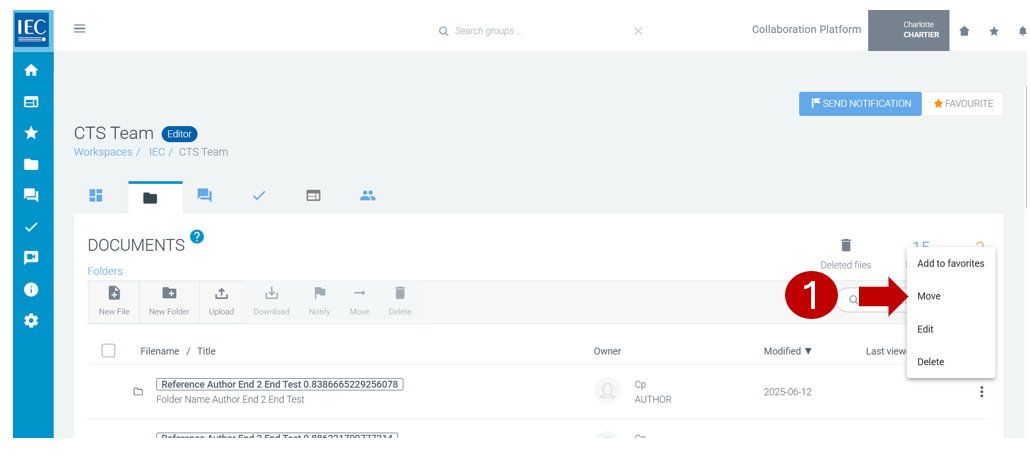
Locate the Collaboration Platform (CP) workspace and the folder which you would like to move.
Please note
Only owners and editors can move folders.
-
Click on the Move icon in the three dots, contextual, menu in the folder line you want to move:
-
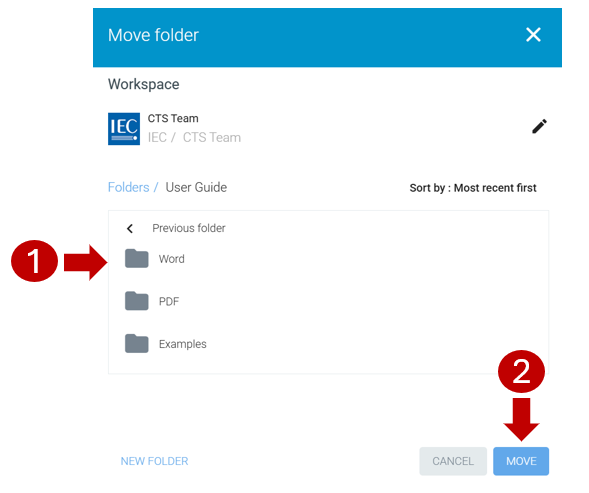
Drilldown in the list of folders on the right until you reach the destination folder.
-
Press the MOVE button: