1 How to access the project in OSD?
The commenting stage document which contains the link to the project in OSD is available on the respective IEC committee’s dashboard.
The link to the project is located in the second page of the circulated document as shown below:

The link to a project in OSD at its Committee Draft for Vote (CDV) stage is followed by instructions on how to download a PDF preview document and on how to obtain the Word file for translation purposes only.

To access the online document, each user needs:
-
an IEC Login created in the IEC Expert Management System (EMS), and
-
access permissions granted via EMS, by the NC Administrator, depending on the granularity level needed for the NC.
Access to Committee of interest projects:
When ProjectA from TCx also has TCy defined as a committee of interest, a user having NC commenter/voter/manager permission on TCy’s projects will be able to comment on ProjectA. In this way, committees of interest access is over and above the NC allocation of permissions (as explained below).
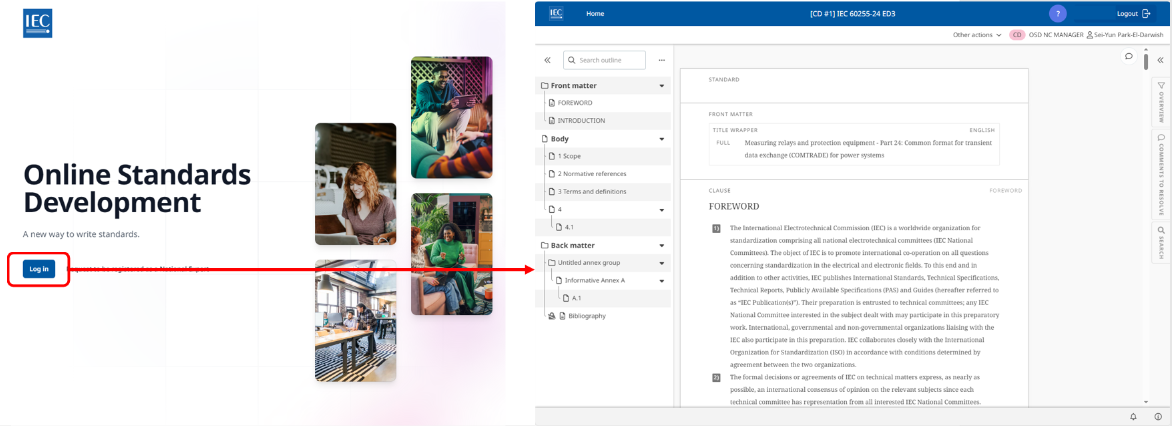
Provided their profile has been created in IEC EMS and access has been granted via EMS the NMC member may access the project in OSD with their IEC Login:
2 How to grant access?
2.1 Grant access: EMS
Each National Committee (NC) has its own needs in terms of the access management. Some NCs grant access to their national experts on a TC (including associated SC) level, and others grant them access on a more granular SC or project level.
See the EMS section of this Knowledge Base if you need support with that tool beyond what is covered on this page.

2.2 Provide access to national mirror committee member upstream
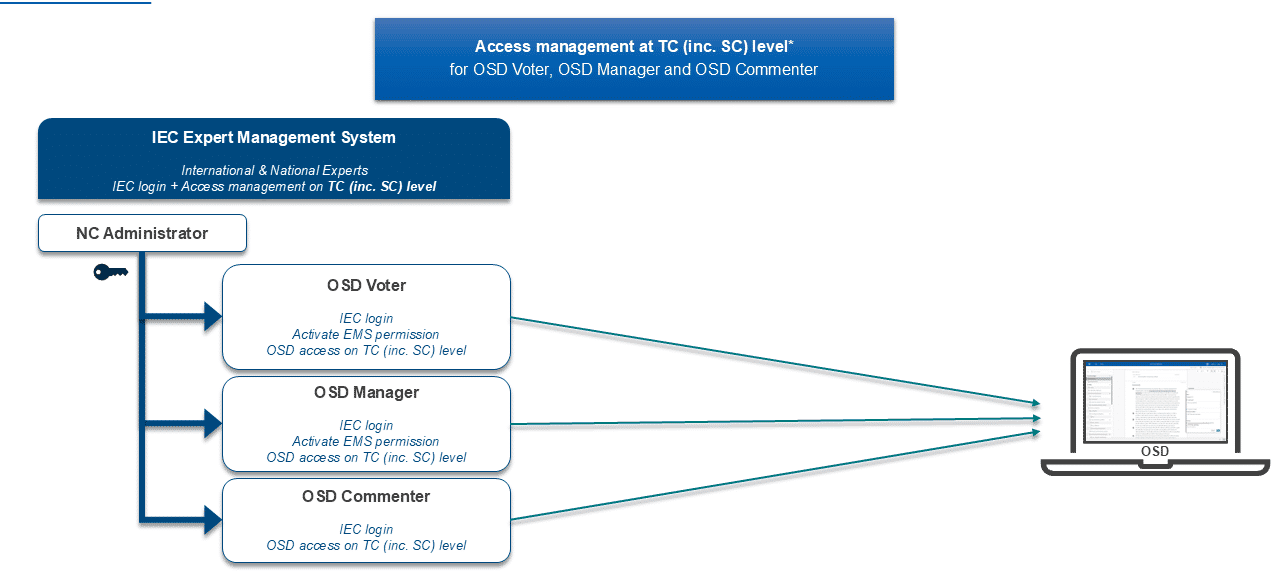
2.2.1 Access management at TC (incl. associated SC) level
Granting access at the TC level will also include its associated SCs. Therefore, these NCs do not need granular permissions in EMS to give their national experts permission to access the projects in the OSD.
For NCs needing all three OSD NC roles:
For NCs needing two OSD NC roles:
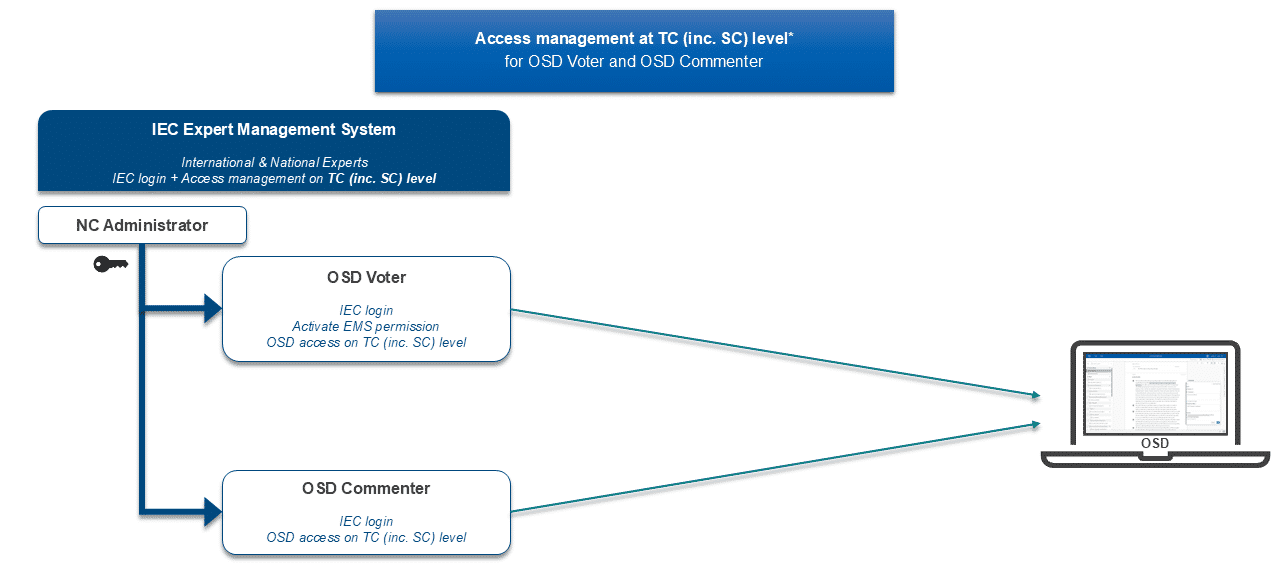
The National Committee (NC) Administrator creates the national expert's profile (IEC Login) and grants access to the relevant TC in the IEC Expert Management System (EMS): https://experts.iec.ch/.
2.2.2 Access management at SC or project level
NCs granting access to their national experts with more granularity at a specific SC or project level need the additional options in EMS (which replaced the Symphony system in May 2026).
2.3 Provide access upon user's request
2.3.1 General process
A national expert who does not have any access granted beforehand may send a Request to be registered as a National Expert:
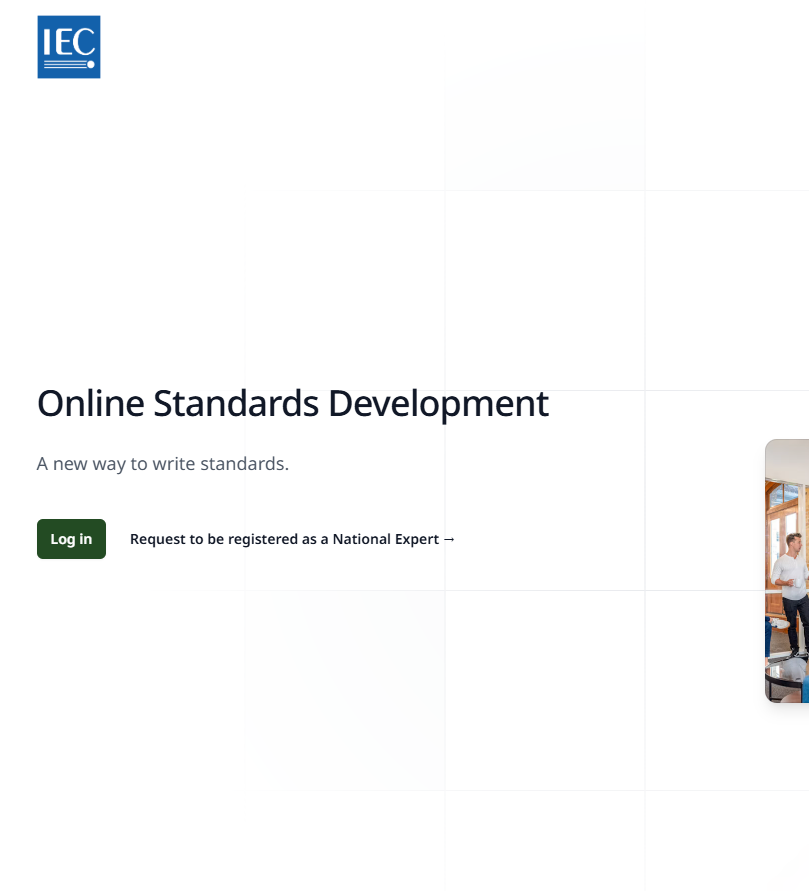
-
Then fill in the online form as shown below:
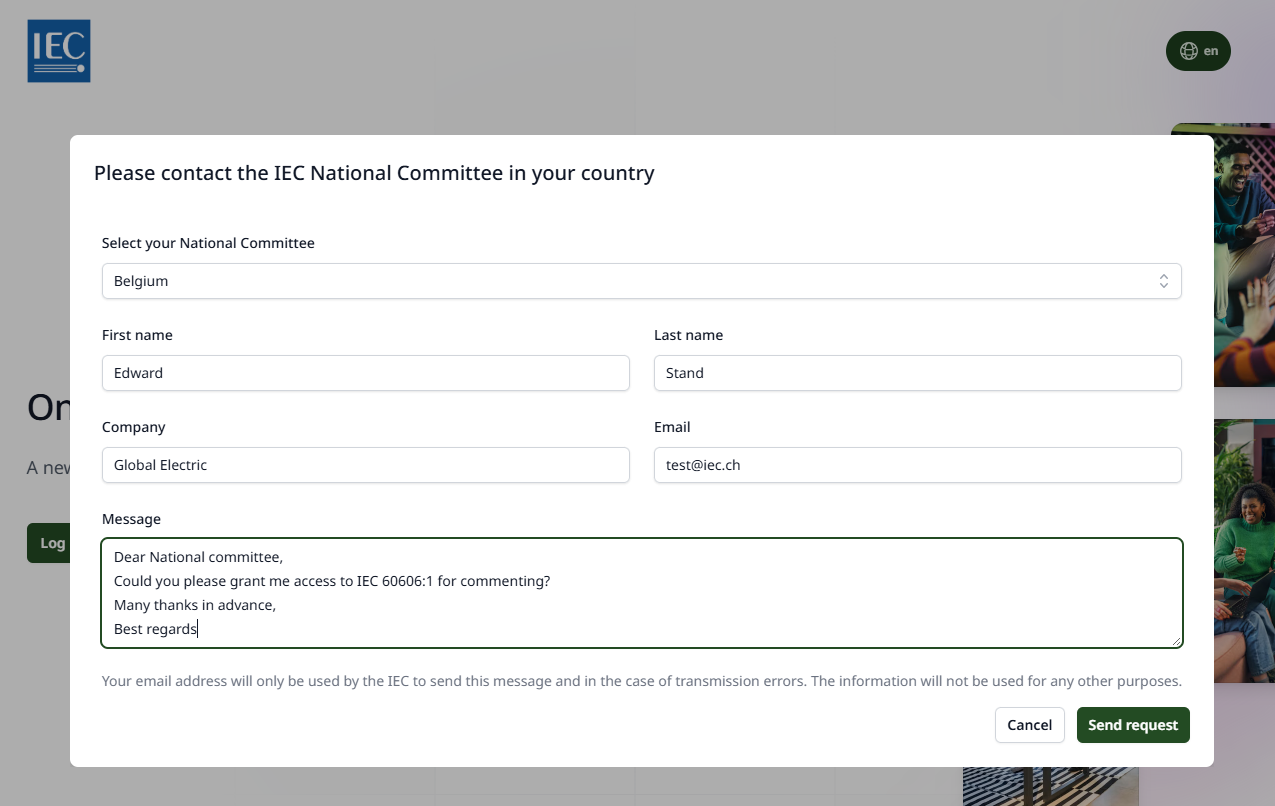
-
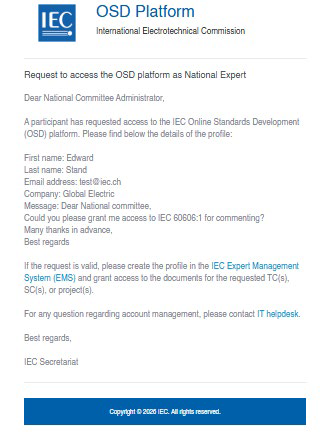
The NC Administrator receives a notification to the generic NC email address, with the user's data for the profile creation in the IEC Expert Management System: