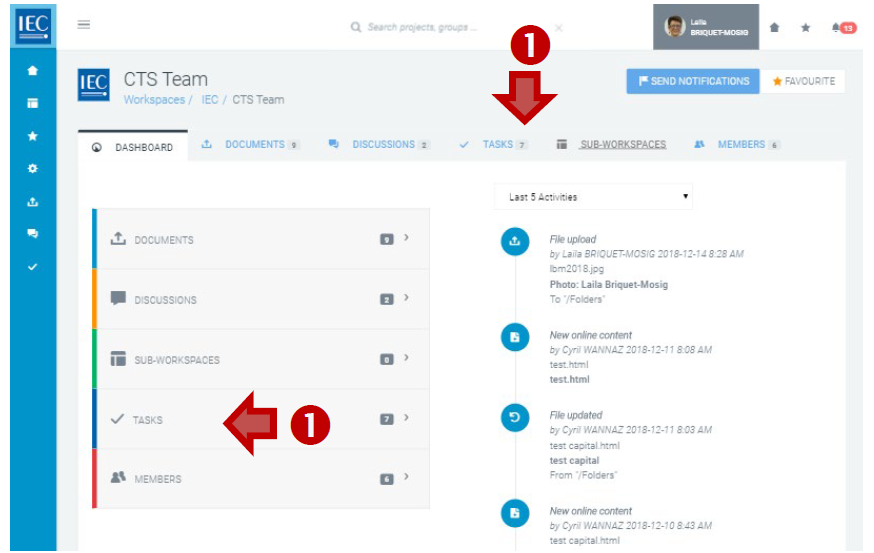
Locate the Collaboration Platform (CP) workspace where you want to create a task.
-
Click on the TASKS tab or TASKS box:
-
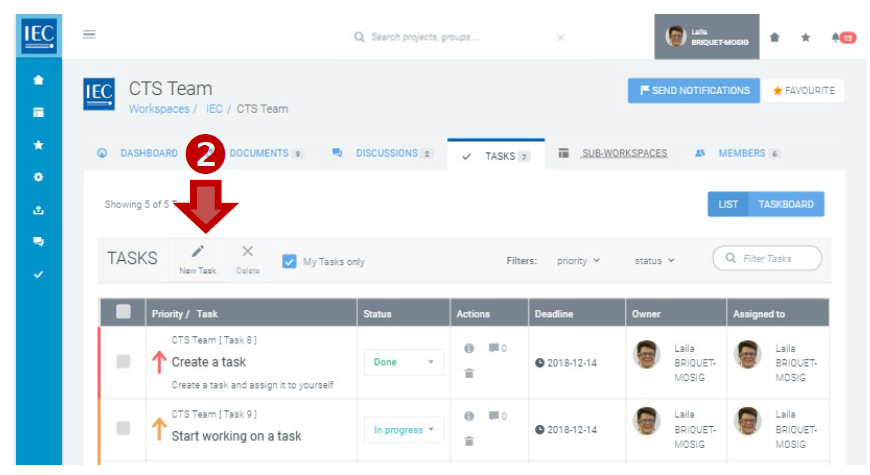
In the toolbar press the New Task button:
-
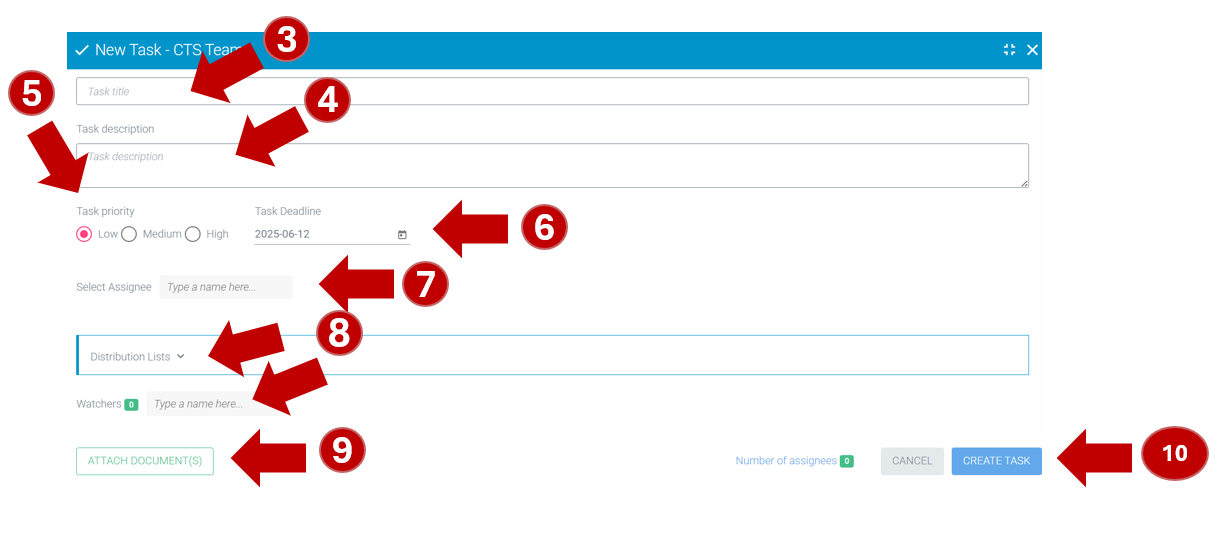
Enter a Task title.
-
Enter Task description.
-
Select a Task priority.
-
Use the date picker to set the Task Deadline.
-
Select Assignee (single).
-
Select Watchers (single or multiple)
(select a list group or type names). -
ATTACH DOCUMENT(S) as needed.
-
Select the CREATE TASK button.