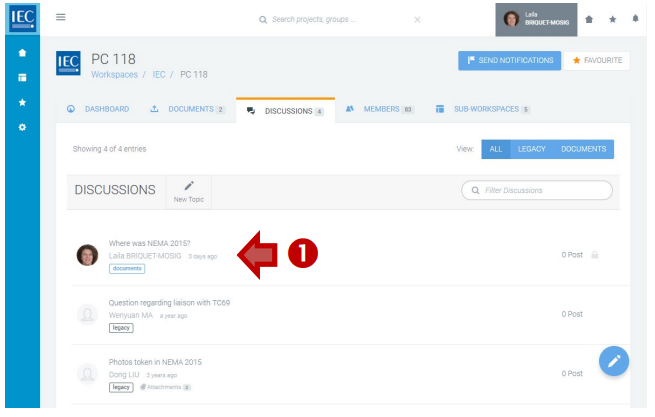
Locate the workspace with a discussion you want to send a notification about and click on the DISCUSSIONS tab.
-
Click on a topic in the list of DISCUSSIONS:
-
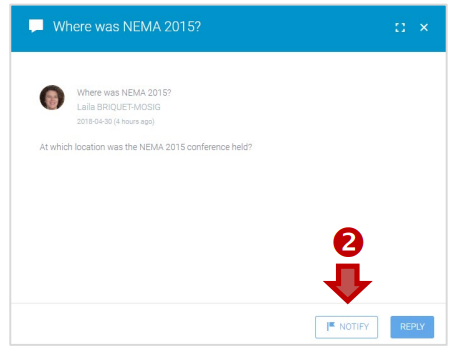
Click on the NOTIFY button:
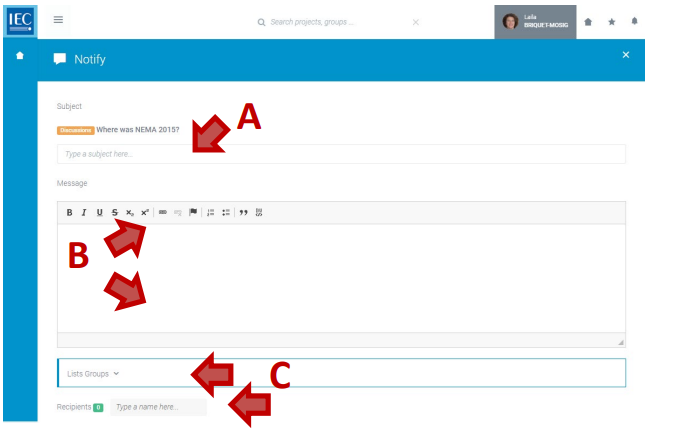
Then:
A. Enter a Subject (required)
B. Enter a Message (required)
C. Select Lists/Groups (and/or type a name) to create a list of notification recipients:
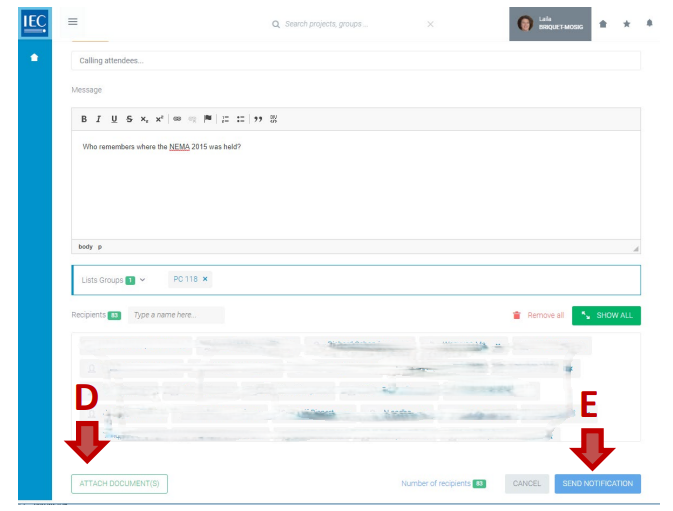
D. ATTACH DOCUMENT(S) (optional)
E. Click the SEND NOTIFICATION button: