
1 Downloading a preview
-
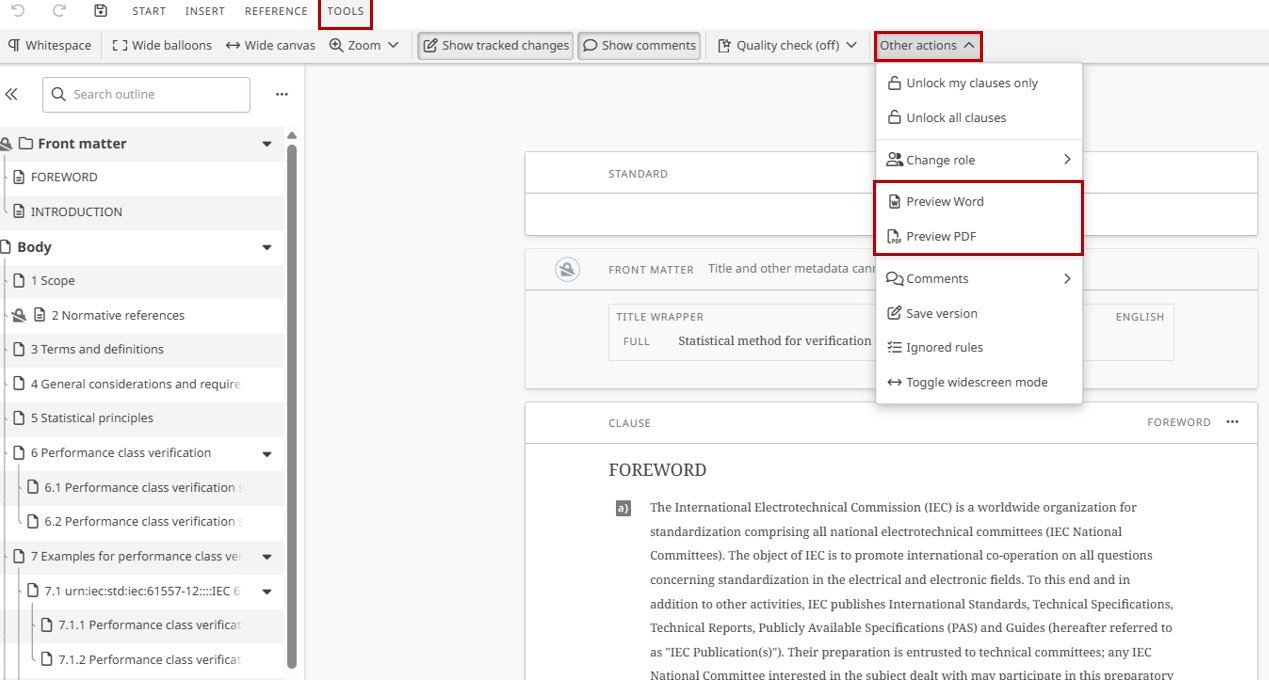
Go to TOOLS in the menu.
-
To download a preview of the online document, select Other actions and then the format you would like. The download is available at authoring stages.
-
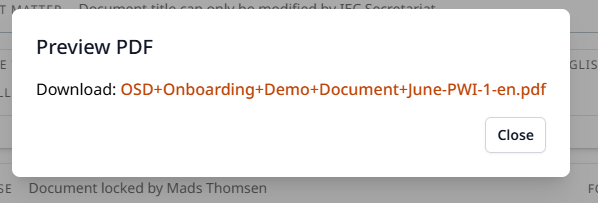
A pop-up is displayed once your document is ready for download.
-
Click on the pop-up message, on the downloaded document, or go the downloads section of your device to access the document.
1.1 Available preview options for Authors
Authors can download a PDF preview at all authoring stages.
1.2 Available preview options for Leaders
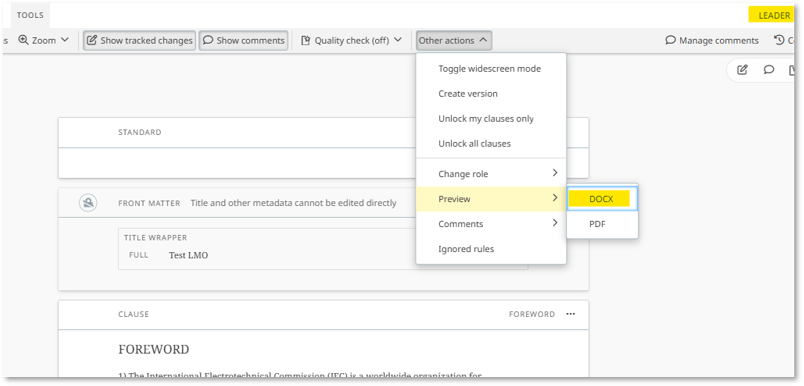
Leaders are also able to download a DOCX preview:
2 Warning message
A warning message appears when a clause or clauses are locked:
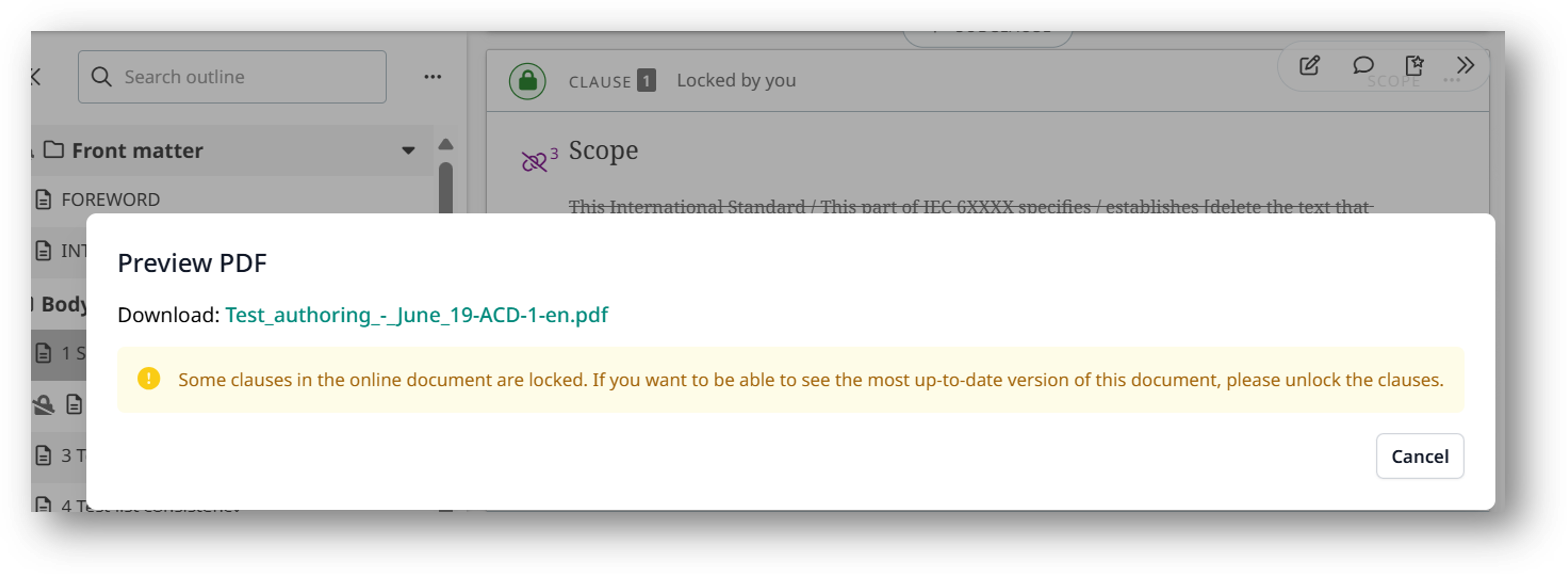
Only the content of unlocked clauses will be reflected in the preview.