Locate the Collaboration Platform (CP) workspace and the tab which contains the task you want to discuss.
-
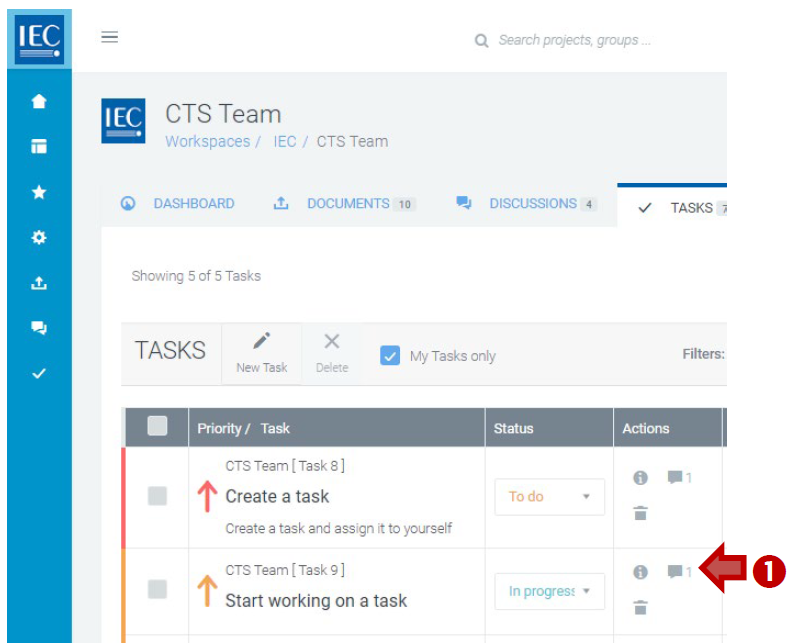
Click on the Discussion icon in the actions column next to the task you want to discuss:
-
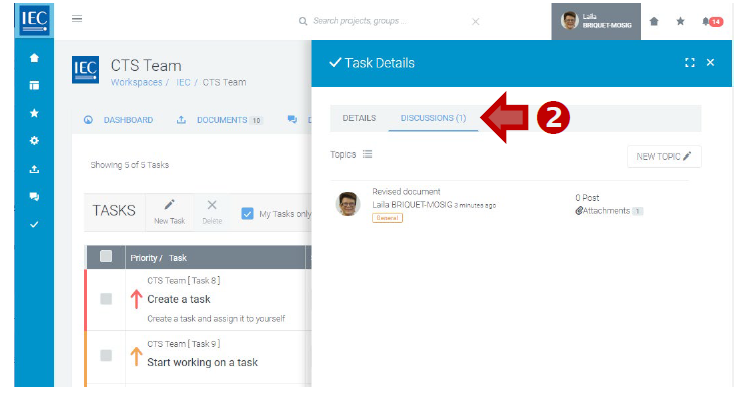
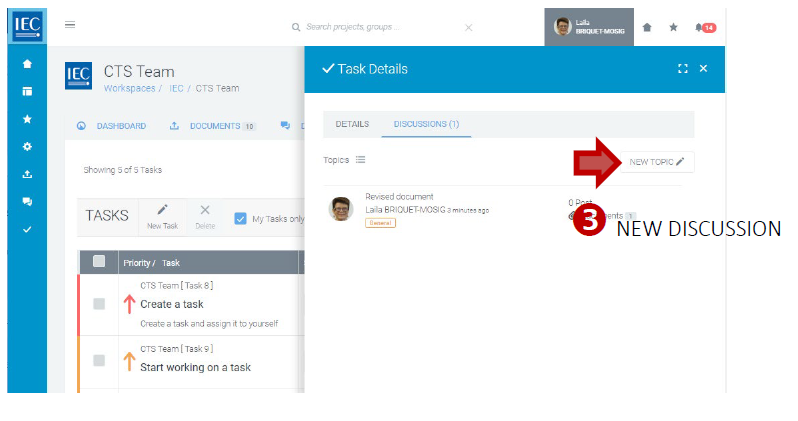
The Task Details panel will open on the DISCUSSIONS:
-
To start a new discussion, click on the NEW TOPIC button:
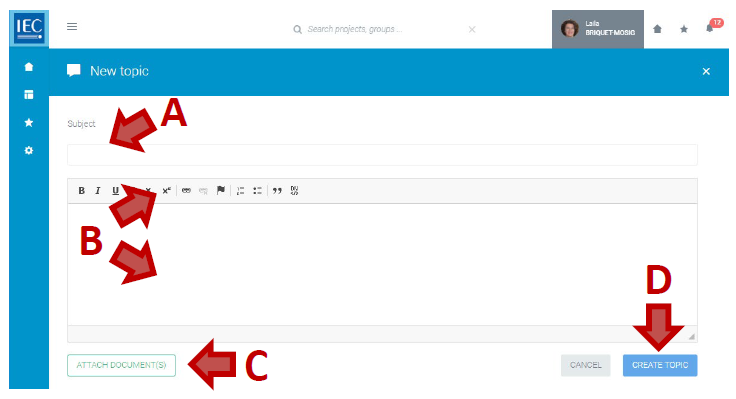
Then:
A. Enter a topic Subject (required)
B. Enter a description (required)
(use html formatting as appropriate)
C. ATTACH DOCUMENT(S) (optional)
D. Select the CREATE TOPIC button:
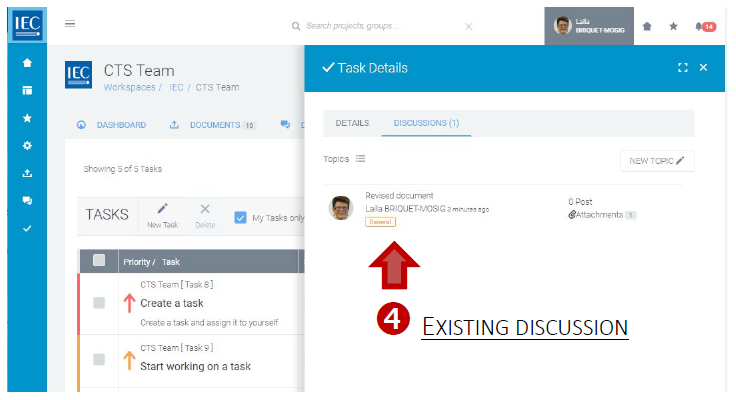
4. To participate in an existing discussion, click on a Topic in the list:
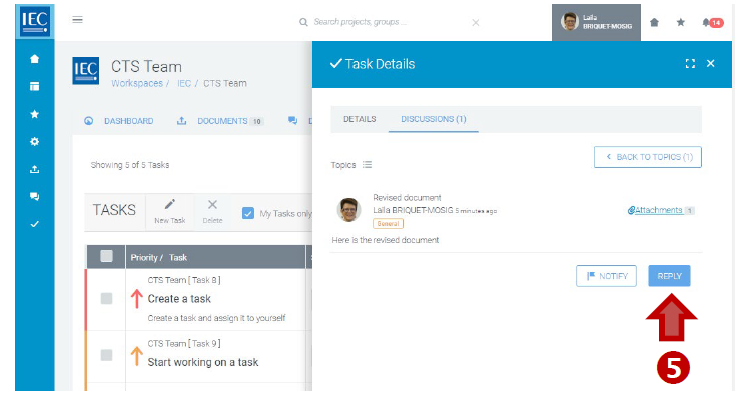
5. Press the REPLY button:
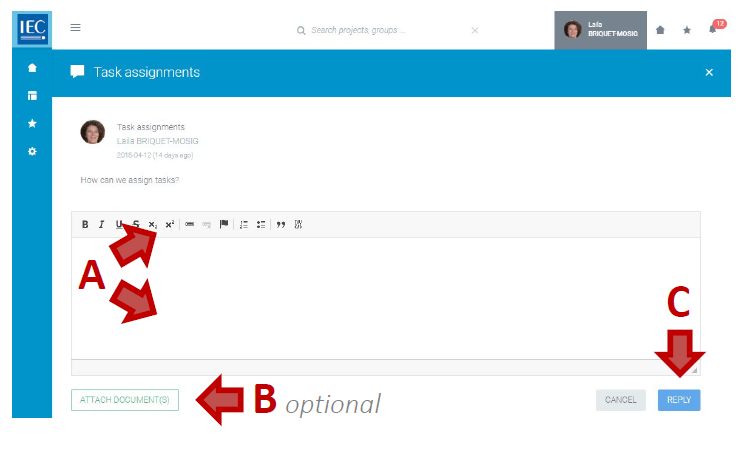
Then:
A. Enter your response (required)
(use html formatting as appropriate)
B. ATTACH DOCUMENT(S) (optional)
C. Press the REPLY button:
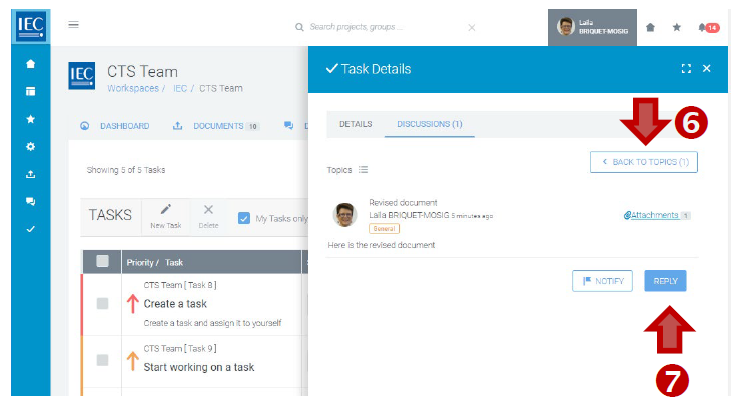
6. Select the BACK TO TOPICS button to return to the list of topics.
7. Select the NOTIFY button to send notifications (optional).