
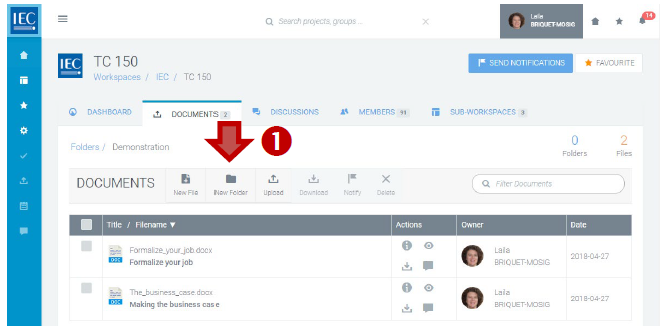
Locate the Collaboration Platform (CP) workspace and the folder where you would like to create a new folder.
-
In the toolbar press the New Folder button:
-
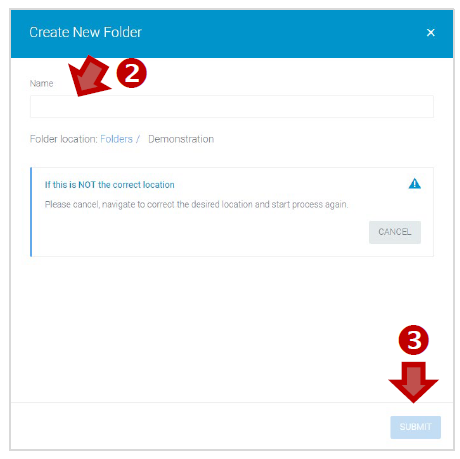
Enter a Name for the folder.
-
Press the SUBMIT button:
-
If needed, you can rename a document folder by clicking on EDIT in the three dots contextual menu.