
Web Meetings are a tool to help you create Zoom meetings from within the Collaboration Platform (CP).
If your IEC expert email is associated with a Zoom account, the following box will appear on your dashboard:
Thanks to this tool, you can schedule Zoom meetings from the Collaboration Platform. Most of the options available when creating a meeting on Zoom are available when creating it via CP.
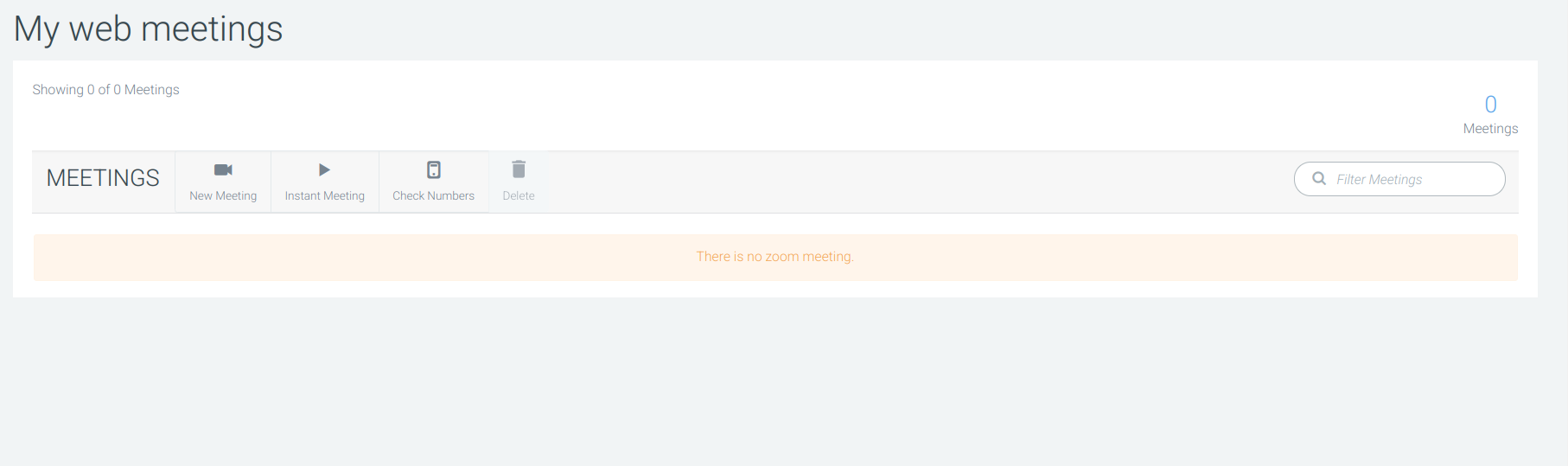
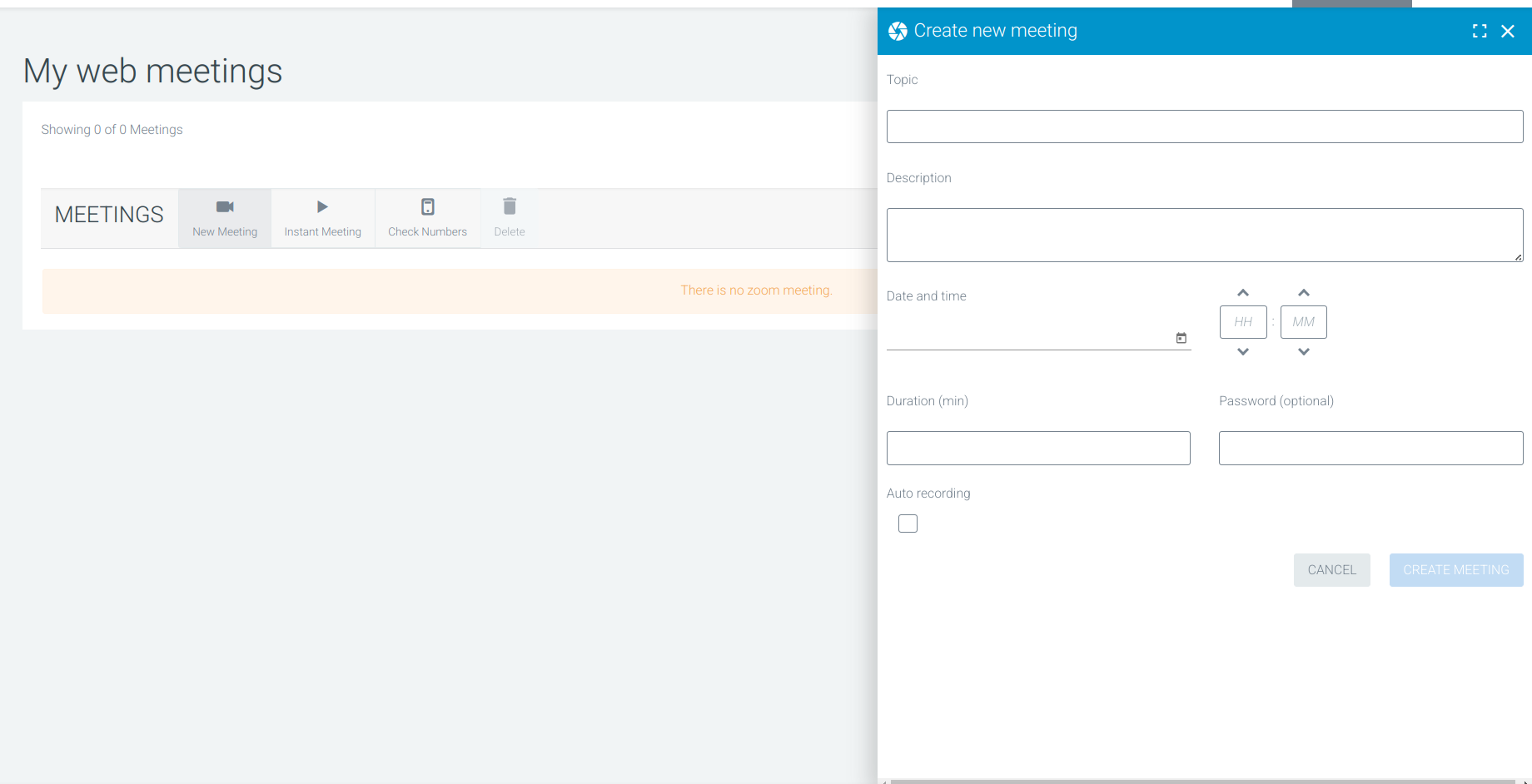
Click on New Meeting to open the meeting creation form, where you can configure the following options:
-
Title (Topic)
-
Description
-
Date and time
-
Duration
-
Password (to protect your meetings)
-
Auto recording (to enable you to record your meetings by default)
You can invite members to the meeting at any time by either sharing the link or sending an invitation by email.
You can also start the meeting at any time using the play icon.
