
After the OSD NC Voter validates the decision on all comments in the OSD platform, the vote must be cast in the IEC Voting system (if appropriate based on your NC’s membership level).
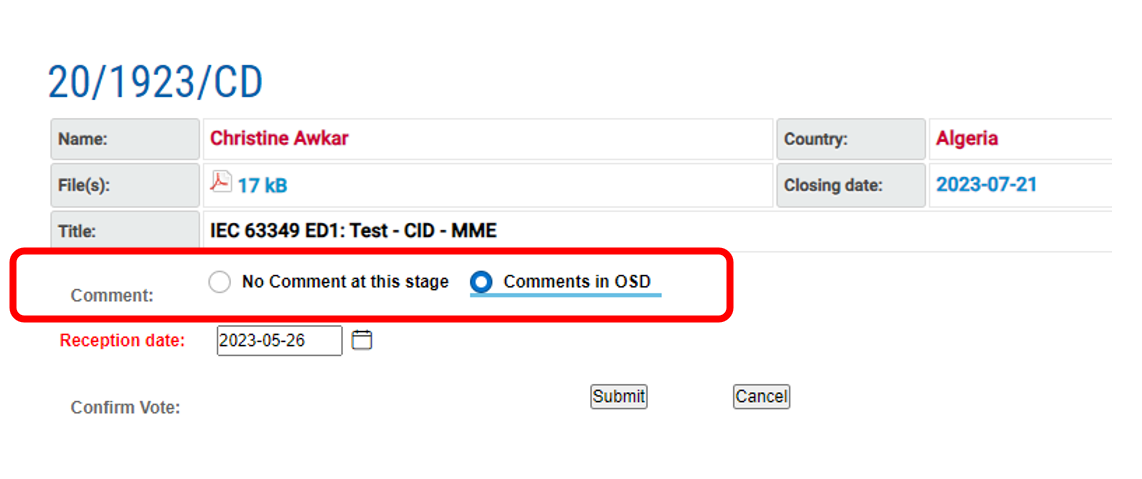
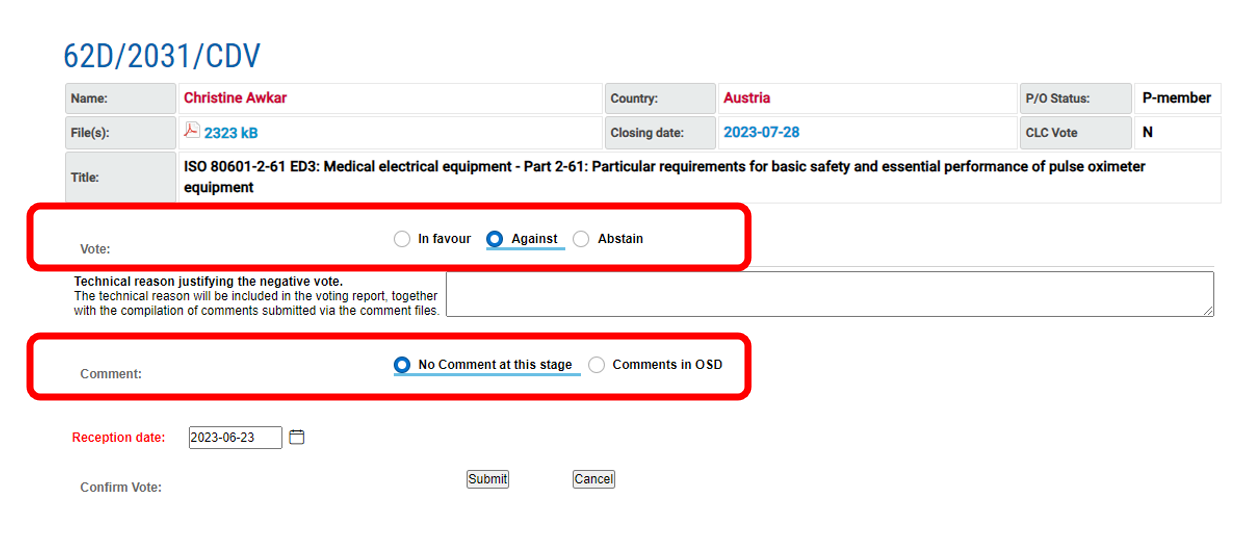
For OSD projects, the Voting system’s national comments upload option is replaced by radio buttons to indicate whether comments were provided in OSD or not.
1 Voting system for OSD projects
1.1 Committee Draft (CD) on OSD
-
Go to the IEC Voting system relevant to the project.
-
Click on comment status in OSD:
-
No comment at this stage
-
Comments in OSD.
-
-
Click on Submit:
1.2 Committee Draft for Vote (CDV) on OSD
-
Go to the IEC Voting system relevant to the project.
-
Cast vote:
-
In favour
-
Against
-
Abstain.
-
-
Click on comment status in OSD:
-
No comment at this stage
-
Comments in OSD.
-
-
Click on Submit:
2 Identifying when your “vote has been cast”
Once the vote has been cast (via the Submit option in 1.1 or 1.2) OSD users will no longer be able to perform further commenting nor comment(s) resolutions in the OSD platform.
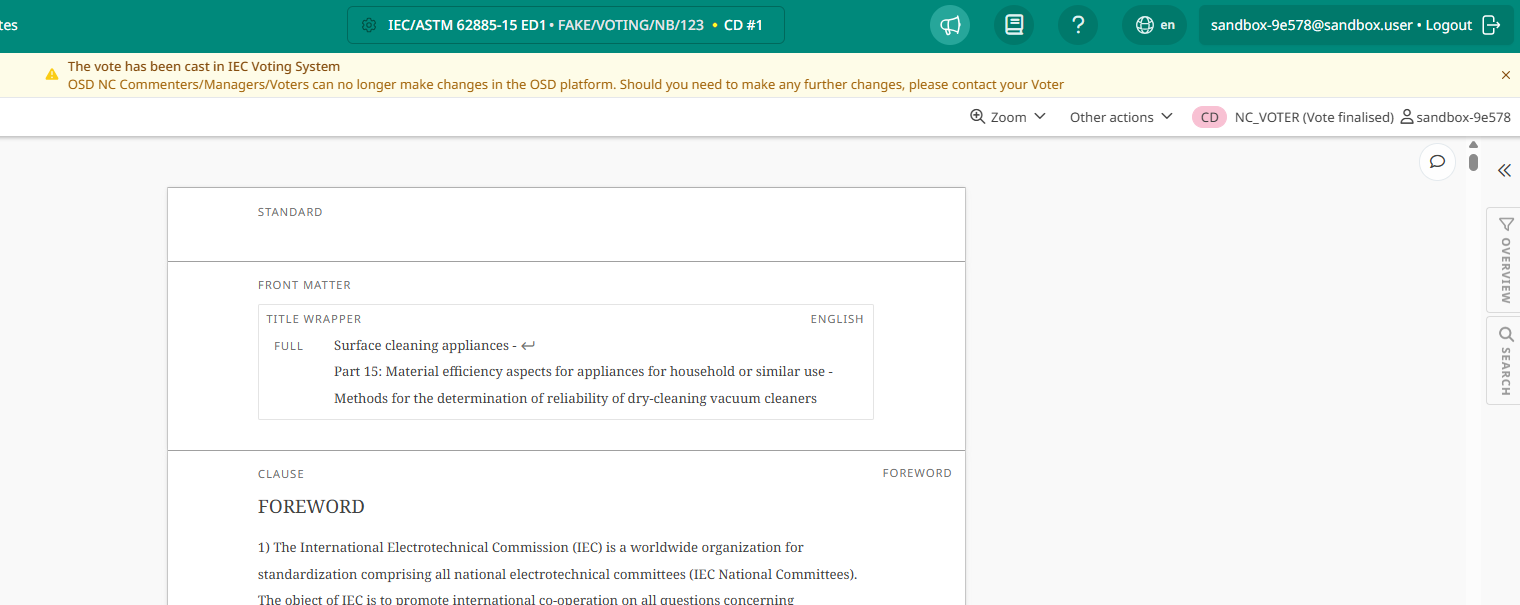
There are two visual identifiers when an OSD project is in this state:
-
A banner with the text “The vote has been cast in IEC Voting System OSD NC Commenters/Managers/Voters can no longer make changes in the OSD platform. Should you need to make any further changes, please contact your Voter” appears on the project.
-
The appearance of the role (e.g. NC Voter) will change to NC_Voter (Vote finalized).