
1 My Tasks
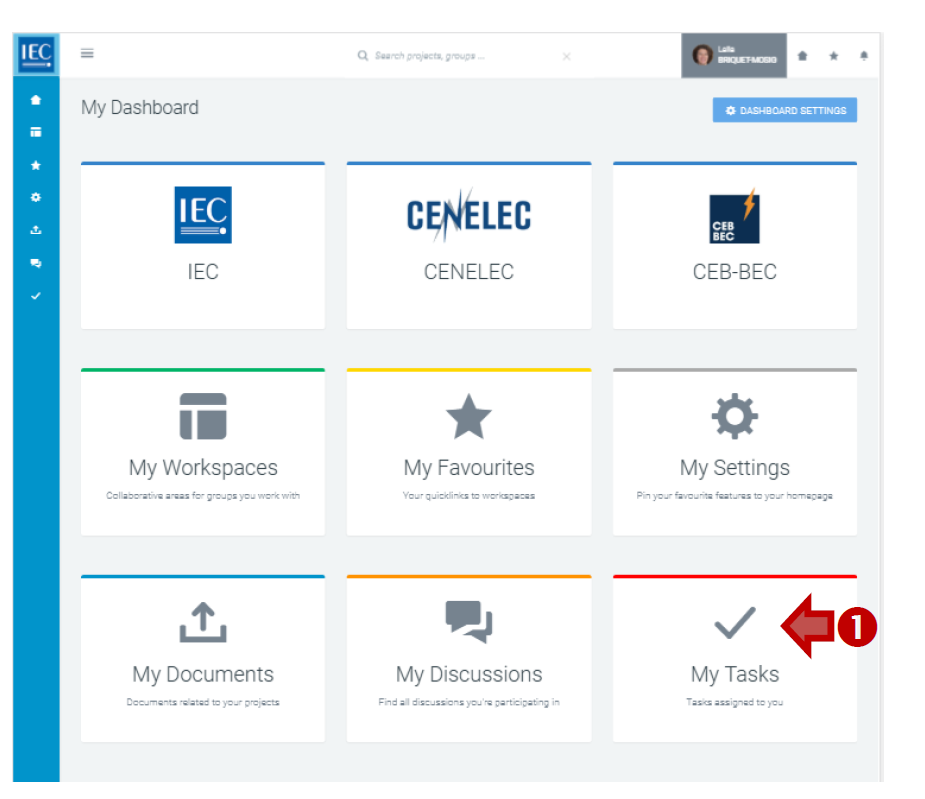
The easiest way to see all tasks created by you, or assigned to you, on the Collaboration Platform (CP) is from the Dashboard box My Tasks.
-
From My Dashboard, click on the My Tasks box:
-
-
You can see, edit and change the status on your tasks here.
2 Tasks by Workspace
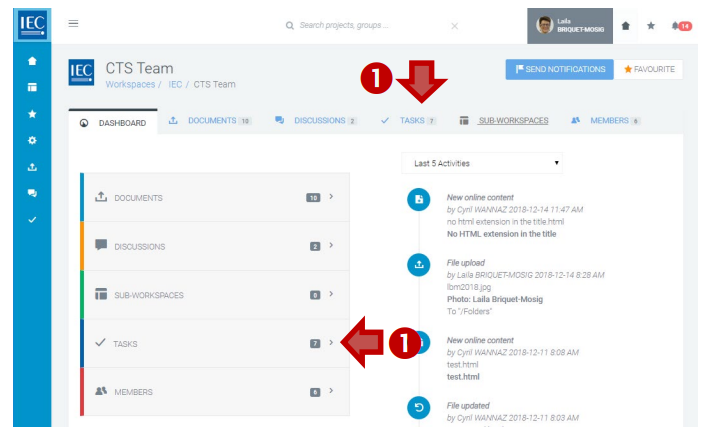
You can also consult the tasks by workspace.
-
Locate the workspace which contains the task you want to find, then select he TASKS tab or click the TASKS box:
-
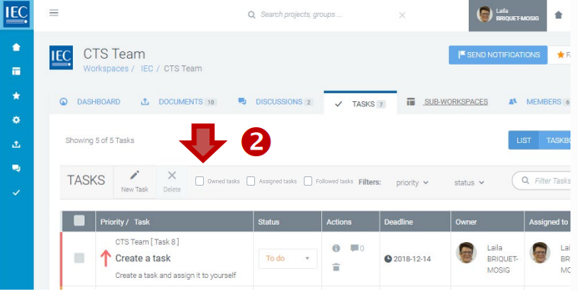
By default, all the open tasks are displayed. But you can select the following categories:
-
Owned tasks: if you need to see the tasks you have created
-
Assigned tasks: if you need to see the tasks you are responsible for
-
Followed tasks: if you need to see the tasks you are watching:
-
-
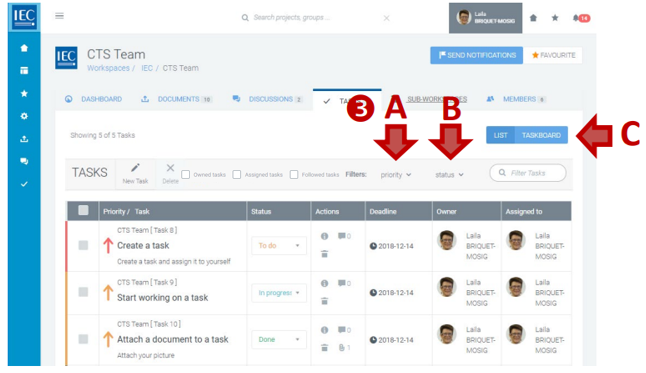
Use the filters in the toolbar to filter the list. You can filter the list of tasks by:
A. Priority filter (HIGH, MEDIUM or LOW)
B. Status filter (TO DO, IN PROGRESS, DONE)
C. Keyword filter (type keywords):
-
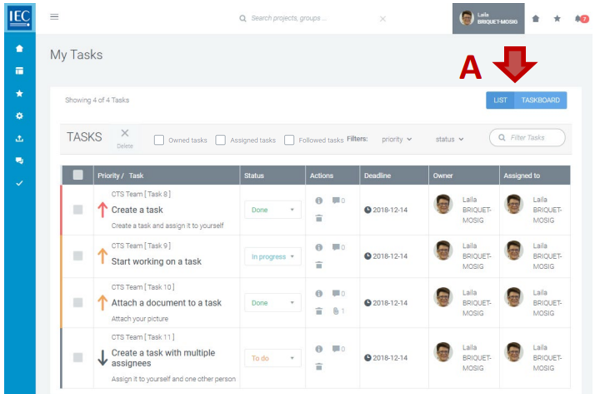
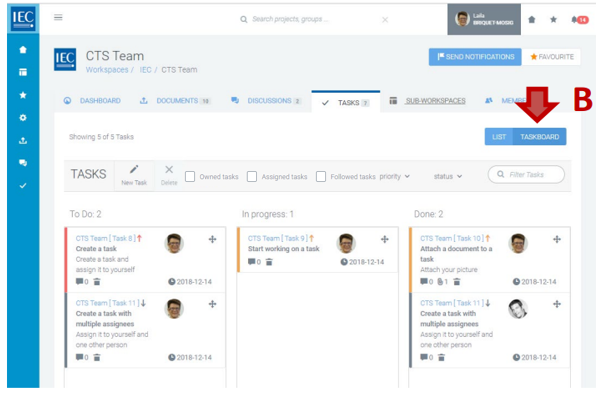
Use the view switch to see your tasks as a LIST or as a TASKBOARD.
A. LIST (Sortable list)
B. TASKBOARD (Columns: To Do, In progress, Done):
Please note
Tasks are automatically archived 1 month after being closed.