
-
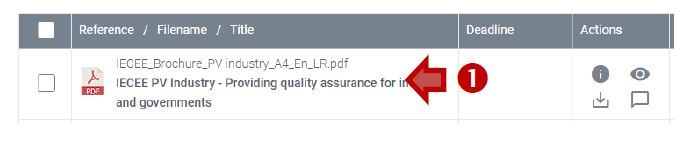
Click on a filename in Collaboration Platform (CP) to open a side-by-side File details panel:
-
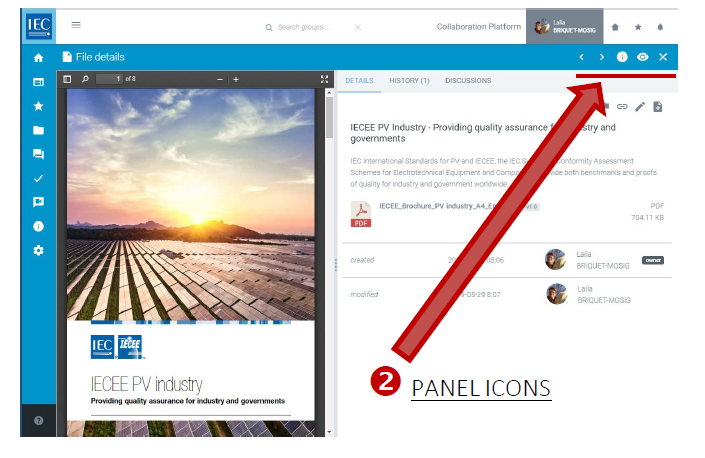
Use the panel icons in the blue header bar as below:
|
Brackets: 
|
Browse to previous/next document (Arrows are keyboard arrow enabled) |
|
Eye: 
|
Turn preview on/off |
|
Information circle: 
|
Turn DETAILS on/off |
|
Cross: 
|
Close the file details panel |
-
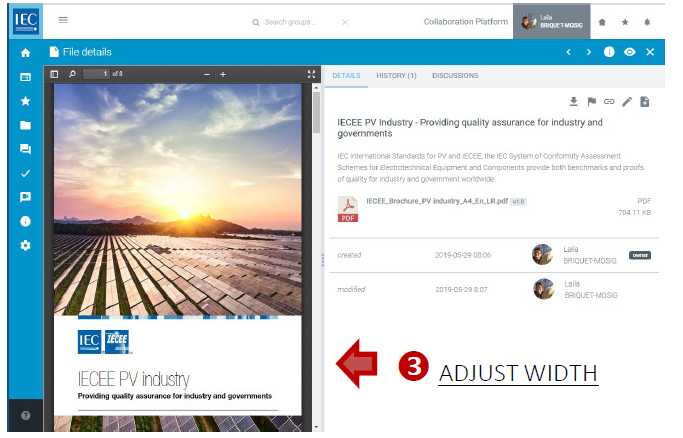
You can adjust the width of the panels by dragging the central bar:
-
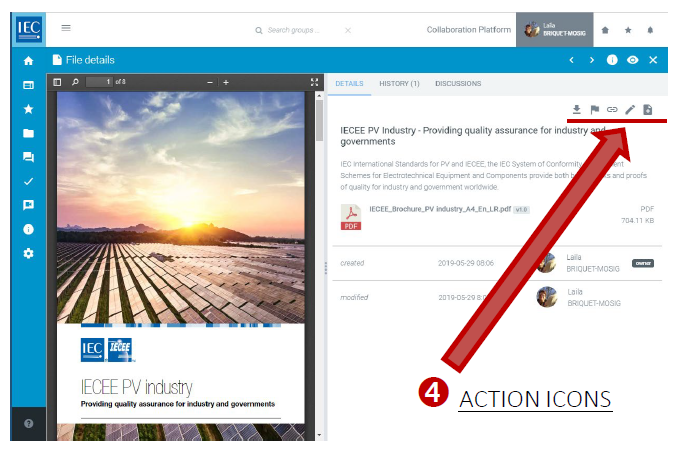
Use the action icons (top right) as below:
|
Download: 
|
Download file |
|
Flag: 
|
Notify workspace members |
|
Link: 
|
Copy link to document details |
|
Edit/pencil: 
|
Edit document details (title, description, deadline, file type) |
|
Plus/add: 
|
Add a new version |
Please note
Previews are available for:
A. Images files (JPG, GIF, PNG)
B. PDFs
C. Microsoft Office files (Word, Excel and PowerPoint)
D. Video files (MP4)