Locate a Collaboration Platform (CP) workspace which you think contains the member you want to find:
-
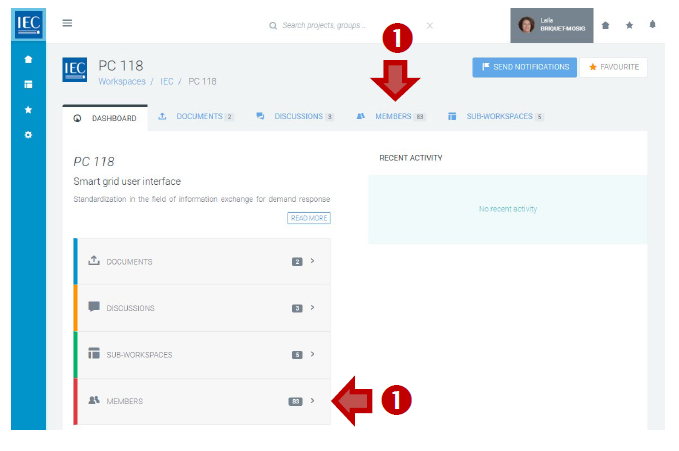
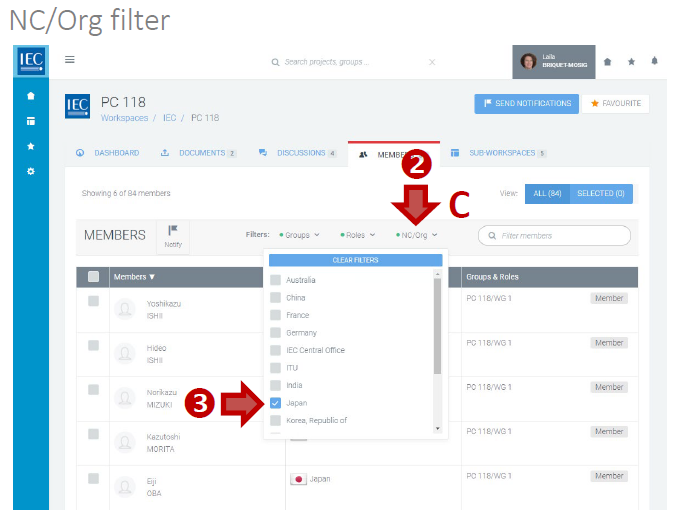
Click on the MEMBERS tab or MEMBERS box.
-
Use the Filters in the toolbar to filter the list. You can filter the list of members by:
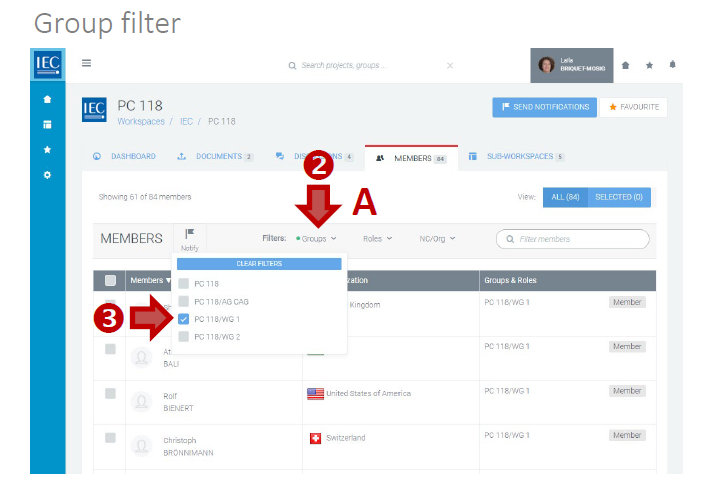
A. Groups filter (workspace or sub-workspaces)
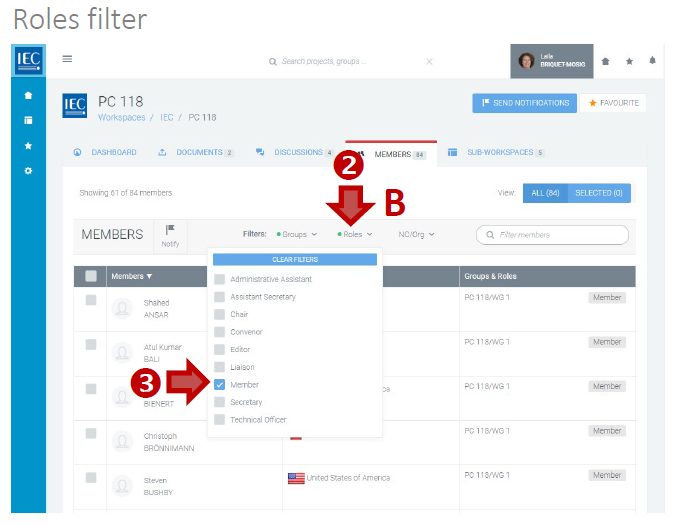
B. Roles filter (Secretary, Chair, Convenor, etc.)
C. NC/Org filter (National Committee or Organization).
-
Click checkboxes next to filter item (A, B, or C) to apply:
-
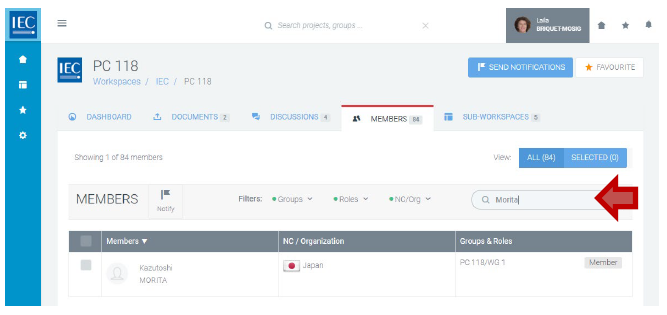
You can also type a name in the search filter to search directly for a specific person: