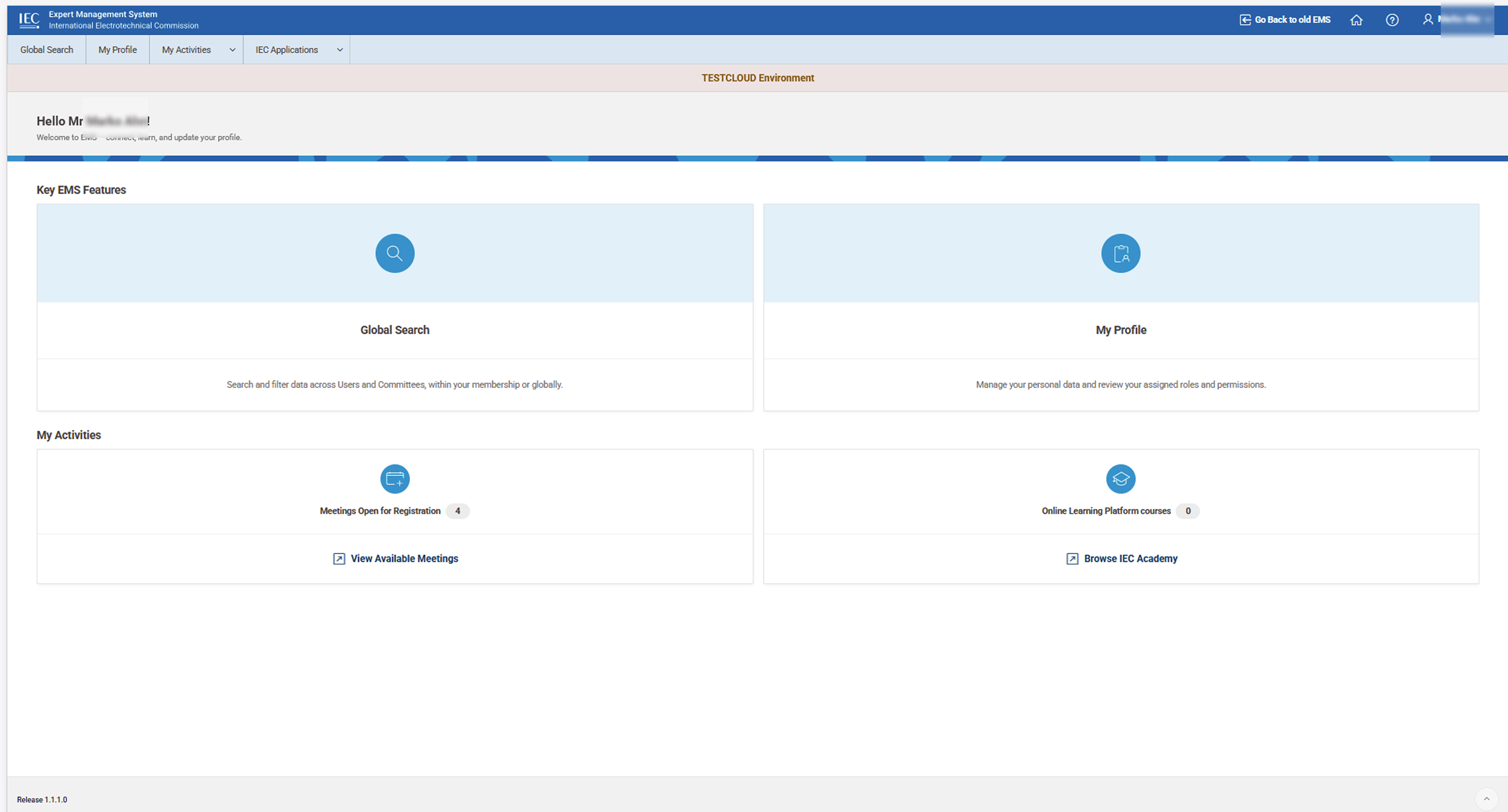
The Expert Management System (EMS) is the IEC’s central application for managing expert profiles, roles, and access rights.
Each user has a personal EMS account, which is part of the unified IEC Login. This single login is used across IEC tools and applications.
When an account is created, the user receives an automatic email with their login instructions.
National Committees (NCs) are responsible for managing their expert population within EMS. Through designated NC Admin roles, they can:
-
create and manage expert accounts,
-
assign and revoke roles and permissions,
-
maintain the accuracy of expert data under their responsibility.
Each individual user can view and update their own personal information directly in EMS, in line with data protection and self-management principles.
EMS is accessible via the following link: 👉 https://experts.iec.ch/ using the user’s IEC Login credentials.
Case 1: I do not have an EMS account yet
If you are an expert and do not yet have access to the Expert Management System (EMS), your account must first be created.
-
EMS accounts are created by your National Committee (NC).
-
Once your account is created, you will automatically receive an email with your IEC Login details and instructions to access EMS.
If you believe you should have access but have not received any email:
-
please contact your National Committee,
-
or follow the support instructions provided by IEC.
You will not be able to access EMS until your account has been created.
Case 2: I already have an EMS account
If you already have an EMS account, you can access the system directly.
-
Go to 👉 https://experts.iec.ch/
-
Log in using your IEC Login username and password (the same credentials used for other IEC tools).
Once logged in, you can:
-
view and update your personal information,
-
keep your profile up to date for IEC activities,
-
see your roles and assignments.
If you have forgotten your password, use the password recovery option on the login page.
If you notice incorrect information or missing roles, please contact your National Committee, who is responsible for managing expert access and roles.
📸 EMS Landing Page