It is possible to attach documents in Collaboration Platform (CP) Discussions, Tasks and Notifications.
-
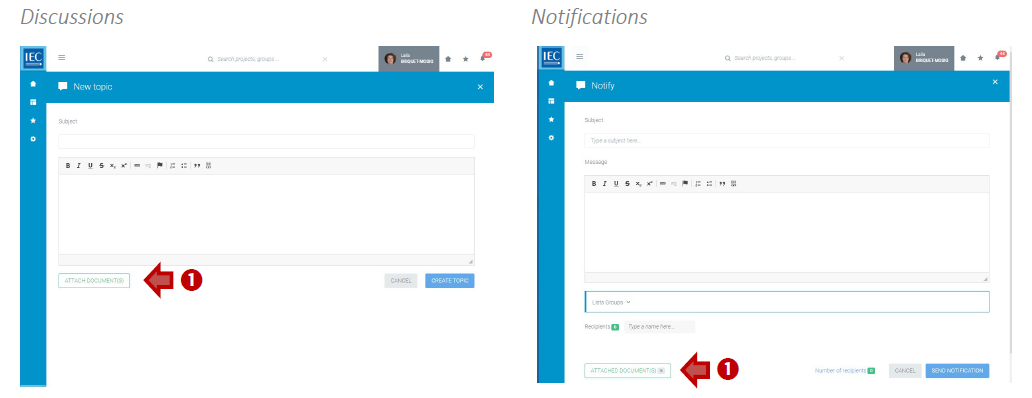
In either Discussions (new topic or reply), Tasks or Notifications, click on the ATTACH DOCUMENT(S) button:
-
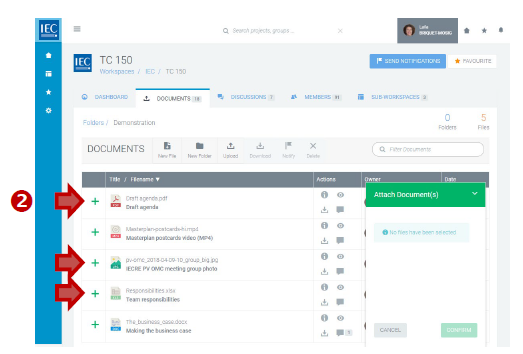
Click on the green + next to the documents you want to attach:
Please note
You can add files from different folders by browsing through the file tree.
-
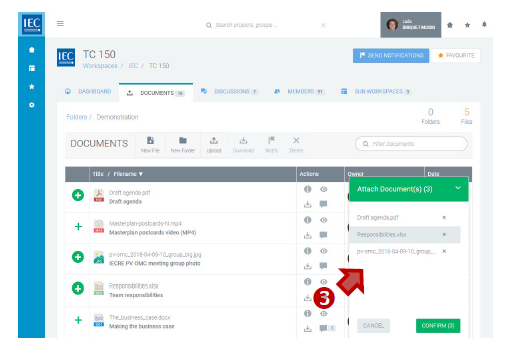
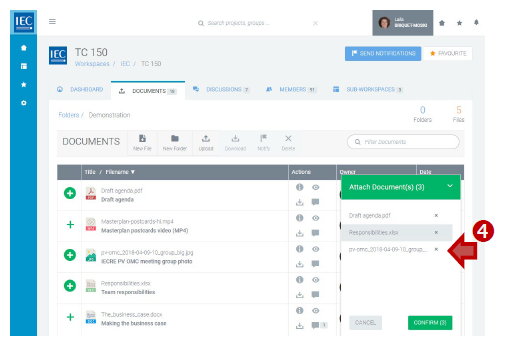
The files will be added to your basket:
-
To remove files from the basket, click on “x” next to the files:
-
When finished press the CONFIRM button. You will return to the location to which you are attaching the files.
-
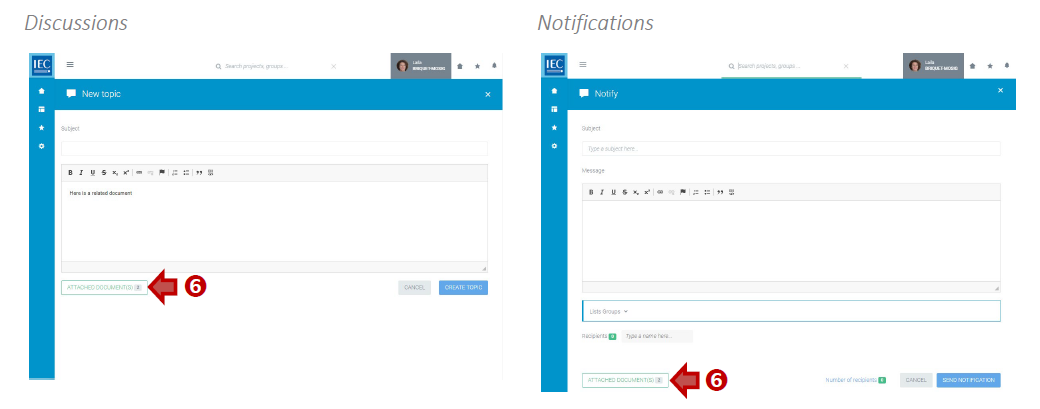
A counter on the ATTACH DOCUMENT(S) button will indicate the number of files attached: