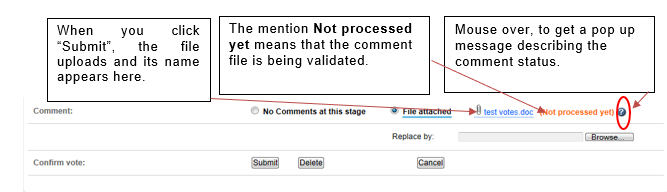
For non-OSD documents with formal votes (NP, CDV, etc.), the Voter will be able to cast the vote together with the comments. Both actions need to be done by the same person.
Comments will be included in the final table of comments only if:
-
The comment file based on the template has successfully been uploaded and you have received an e-mail notification, approximately 30 minutes after the file was uploaded, confirming that your file has been accepted by the system.
-
If the comment file is valid and validated, it will be indicated by the below icon

Otherwise, it will be shown crossed out and a notification will also be sent with the reason for non-acceptance.
The comment file based on the template can be edited offline and resubmitted (i.e. reloaded) by an authorized Voter/Commenter only. If this happens, the previously uploaded comment files will be overwritten.
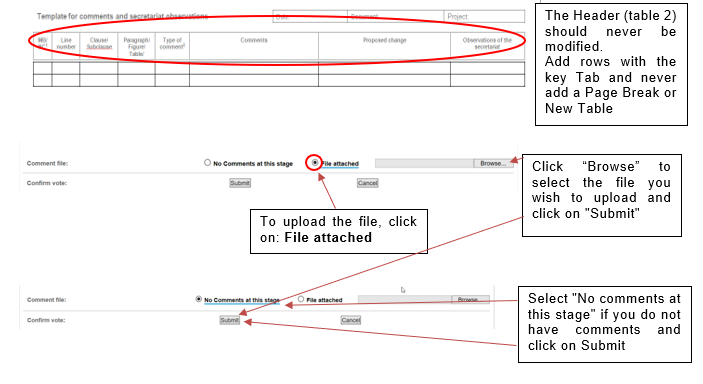
When you upload a file, all previous existing comments are deleted.