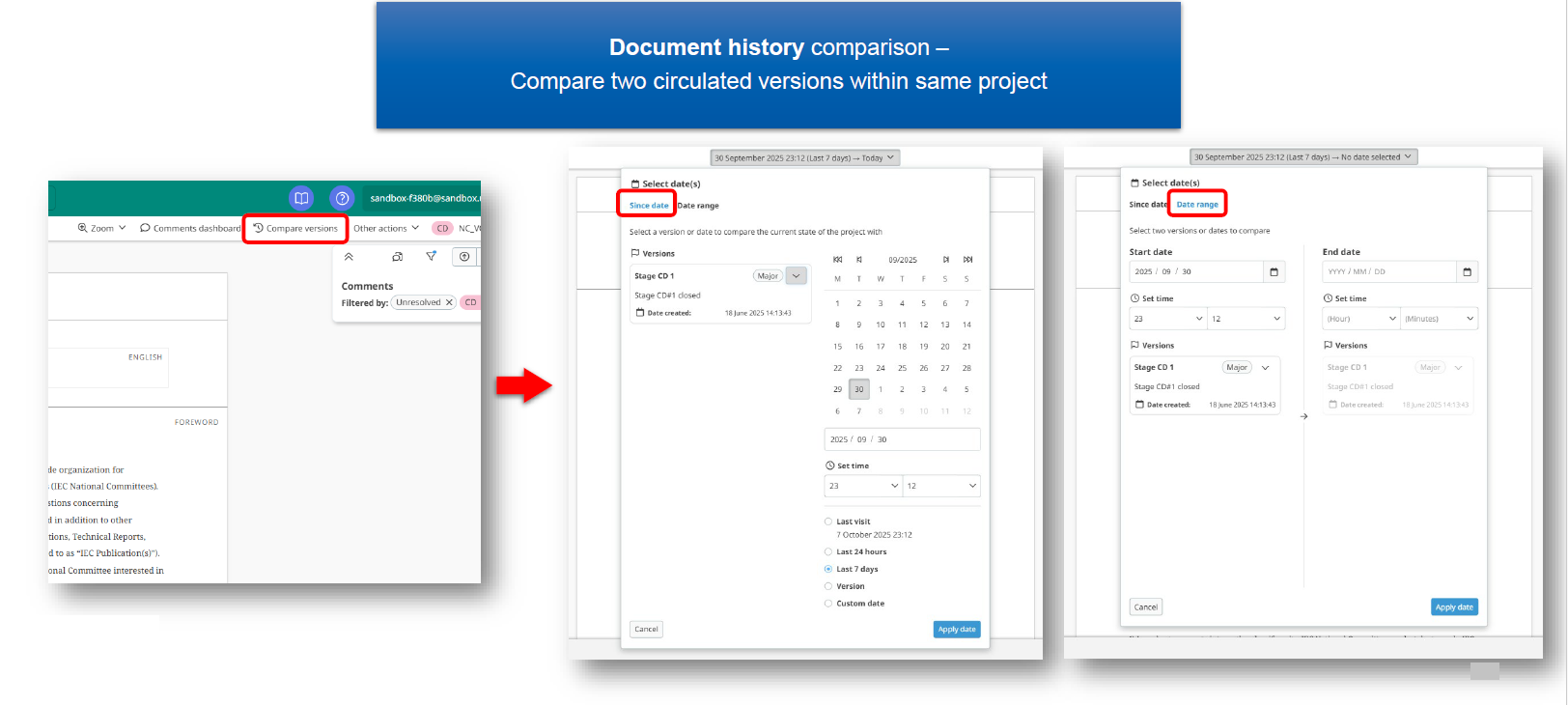
The document history comparison feature allows you to compare two circulated versions of a document within the same project. This helps you identify changes and track updates made during the commenting stage.
With this function, you cannot compare documents from different editions (for example, Edition 1 versus Edition 2). The comparison must be between versions within the same project.
1 Accessing the document history feature
-
From the main interface, locate the Compare versions option.
-
You can access previous versions in two different ways:
-
Option 1: In the left-hand side column, where the current version is displayed, select one of the previous stage documents to open it.
-
Option 2: Use the date range filter to find and select a different version of the document.
-