
National bibliographic references can be kept separate from the bibliography inherited from the international standard.
This allows references that are relevant only to the national adoption to be grouped in a dedicated national section.
Creating a National bibliography section
There are 2 ways to create a National Bibliography section:
-
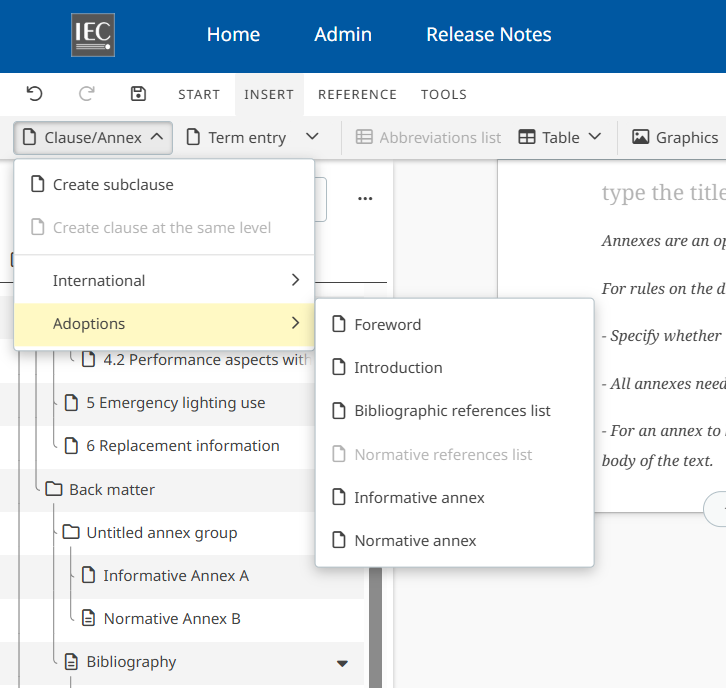
Go to Insert > Clause / Annex > Adoptions and select Bibliographic references list:
-
Add a Bibliographic reference in National section: it will automatically create a National Bibliography section and populate it this the new reference:
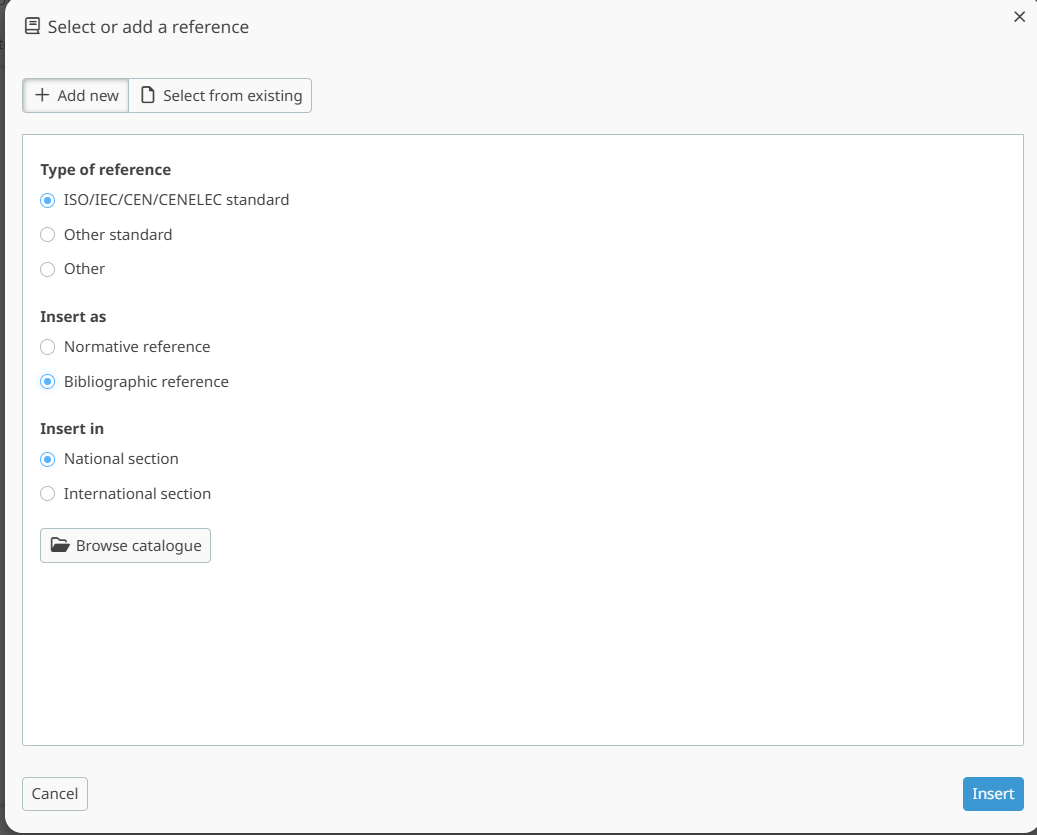
Adding a national bibliographic reference
When inserting a new bibliographic reference, select the National section as its destination.
The reference is then displayed in the National Bibliographic references list instead of the international list.
National bibliographic reference numbering
New references added to the national section start at a new number, even if they are inserted before references in the international ref-list.
In the National references list, they are ordered by order of appearance in the document.
For instance:
-
Clause 1: refA(international)
-
Clause 2: refB(national)
-
Clause 3: refC(national)
-
Clause 4: refD(international)
-
Clause 5: refE(international)
Then the Bibliography will look like:
International references
-
refA
-
refD
-
refE
National references
-
refB
-
refC