You can add annexes that apply specifically to the national adoption of a standard.
National annexes are added in a dedicated National annex group in the back matter of the document.
Using a National Annex Group keeps national annexes separate from the annexes belonging to the original international standard.
Adding a national annex
There are 3 ways to create a National Normative references section:
-
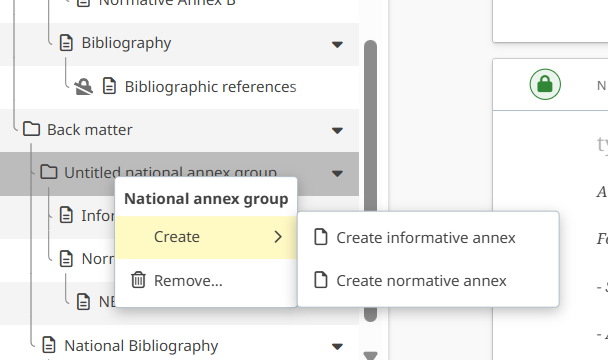
Right click on Back matter > Create a national annex group (if missing) and Right click on National annex group > Create > Informative or Normative annex:
-
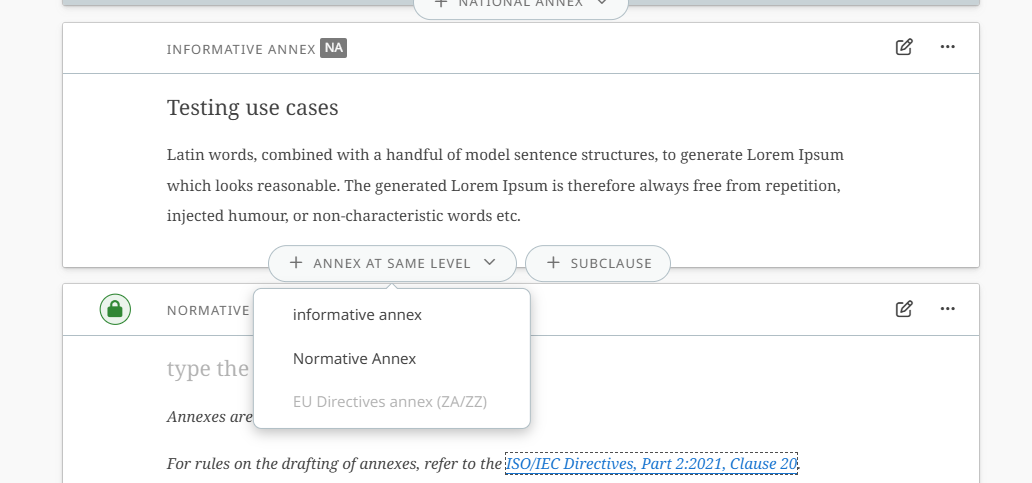
Once at least 1 Annex has been created, other annex could be created via + ANNEX AT SAME LEVEL button:
-
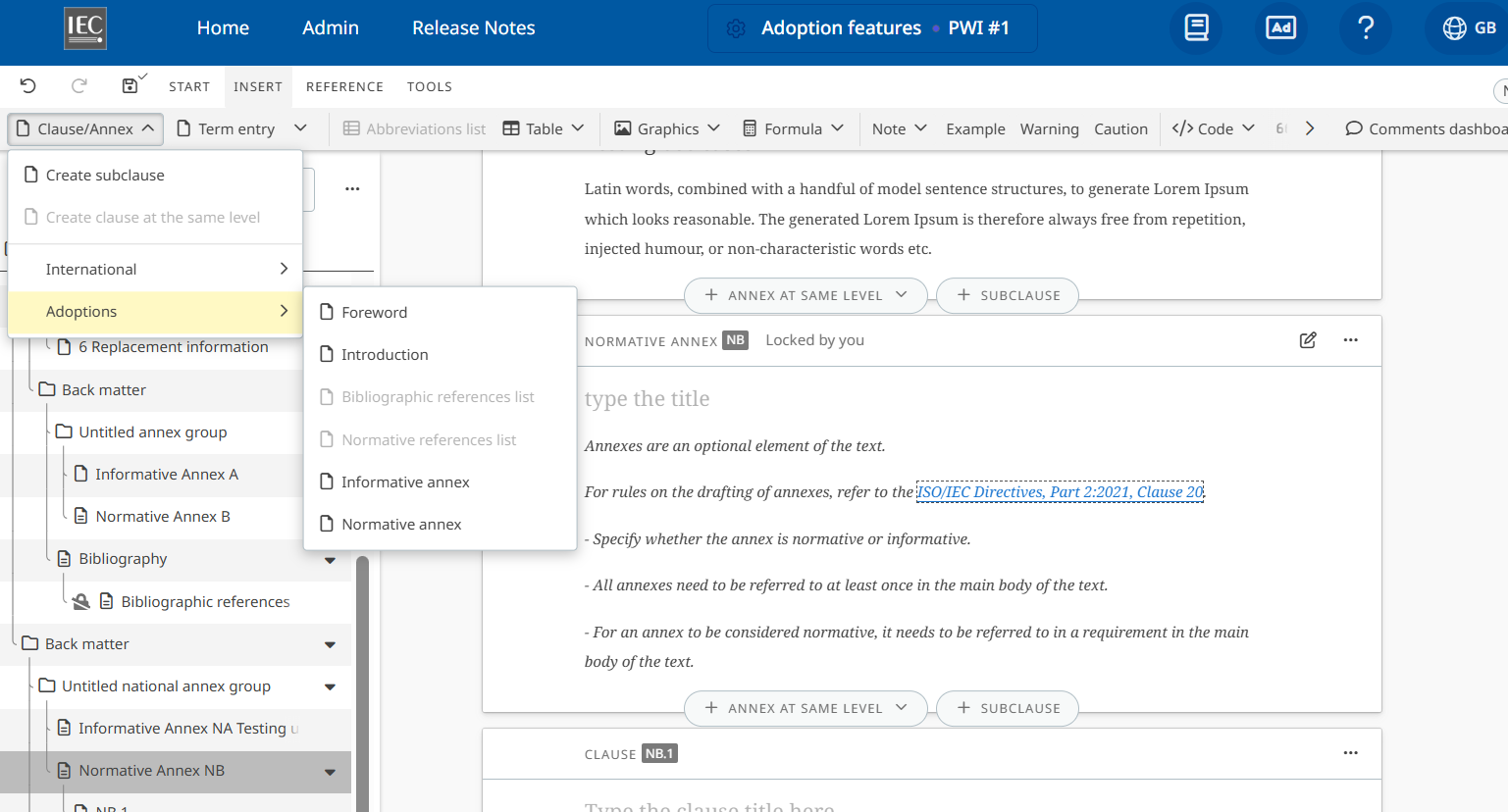
Go to INSERT > Clause/Annex > Adoptions and select Informative or Normative annex:
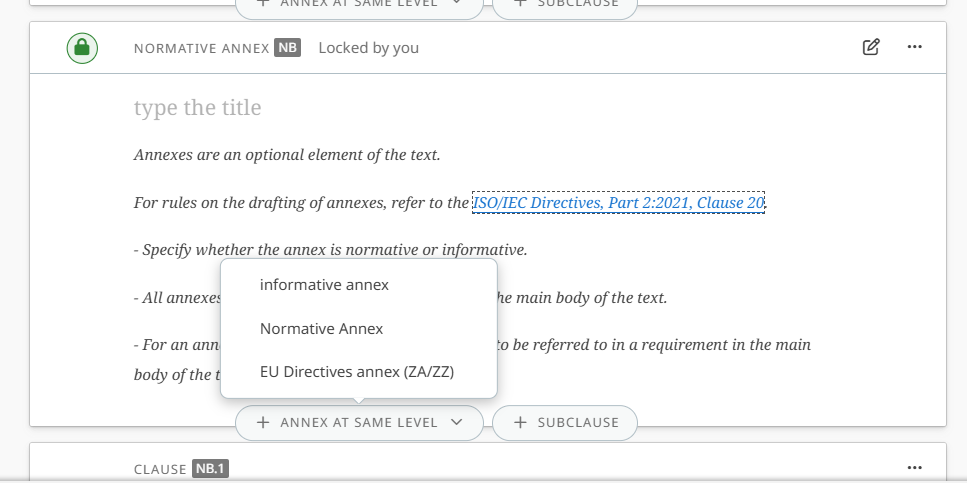
For European members, an annex related to European Directives can also be added where relevant. To create an EU Directives annex (ZA/ZZ), go to an existing Normative annex and click on + ANNEX AT SAME LEVEL and select EU Directives annex (ZA/ZZ)