
When adopting an international standard, you can add introductory content that applies specifically to the national adoption.
OSD allows you to create:
-
a National Foreword
-
a National Introduction
Add a National Foreword or National Introduction
-
Open your adoption project in the OSD editor.
-
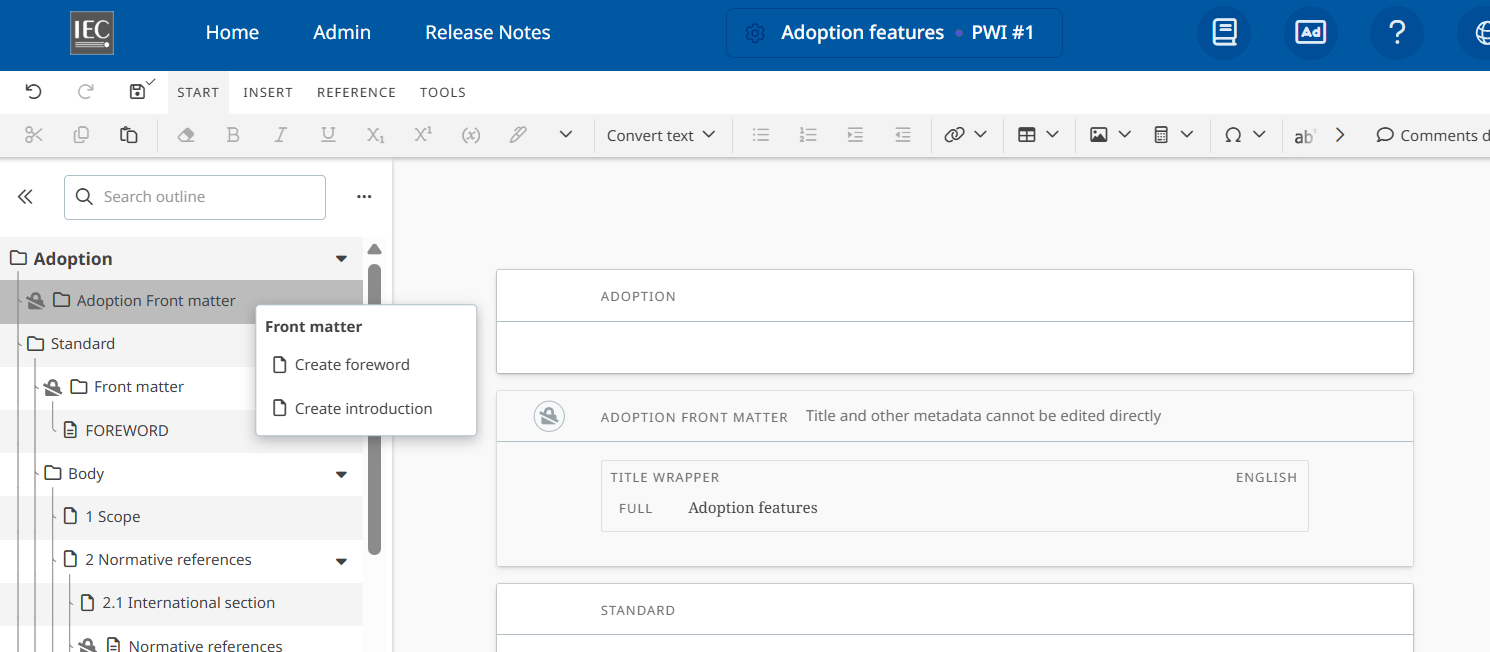
Go to the Adoption front matter section in the Table of content and right click
OR -
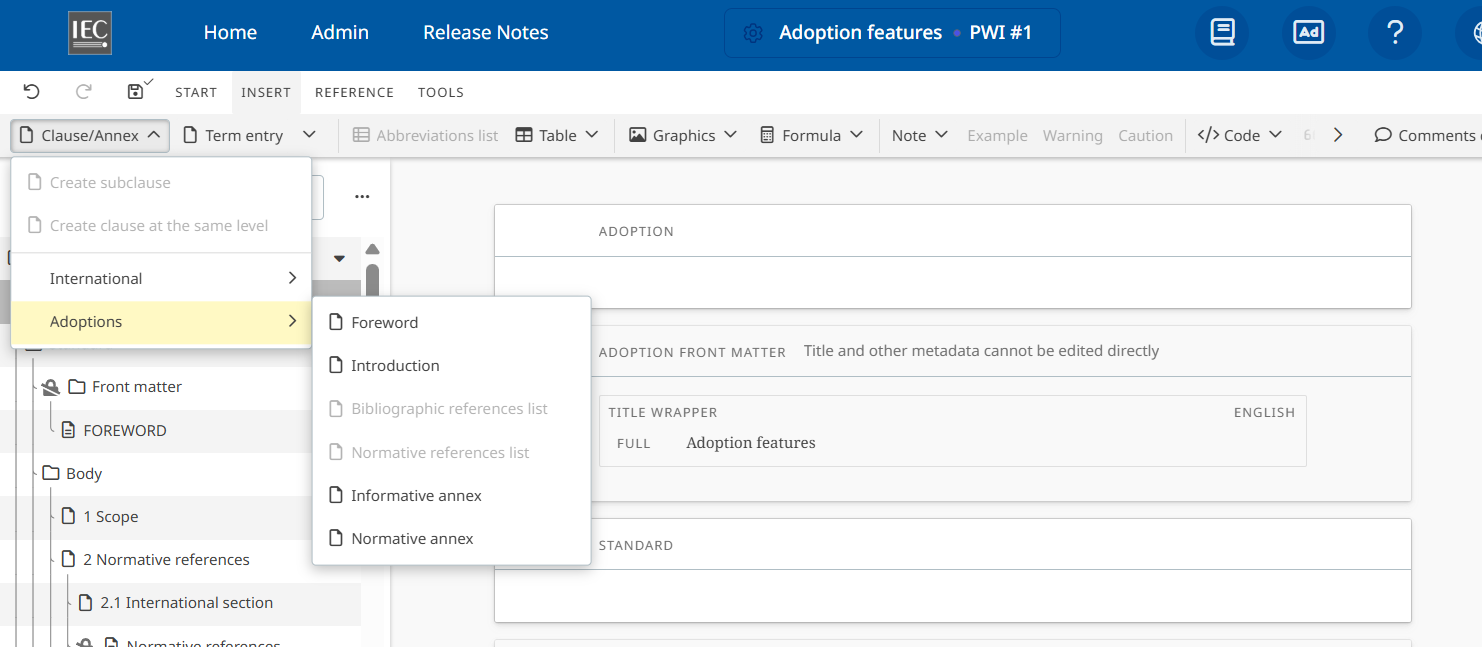
Go to Insert > Clause / Annex > Adoptions menu
-
Select the option to create a National Foreword or National Introduction.
-
The corresponding section is added at the beginning of the document.
-
Add or edit the national content as required.
The National Foreword and National Introduction are separate from the corresponding international content and are identified as national elements in the document structure.
You can therefore provide information specific to your national adoption without modifying the original international Foreword or Introduction.