
Filtering and sorting options
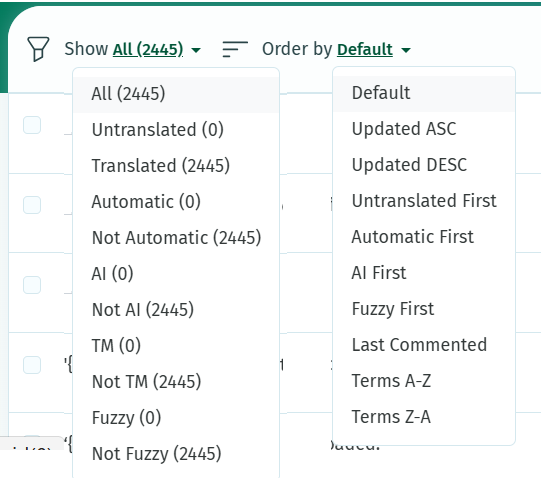
Use the Show and Order menus to choose which strings must be displayed in the Translations page:
Advanced searches
To make a more precise search, there are a couple of search options:
-
em:for exact match -
ew:for exact words -
terms:to search only in the terms -
translations:to search only in the translations
For instance, combining ew: translation: will help to find a specific word in all translations before replacing it.
A few examples:
|
|
Strings containing “lock” only in terms. Results also include Strings containing “locking”, locks”, “locked”, etc |
|
|
Strings containing only “lock”. The whole string is “lock”. |
|
|
Strings containing the word “lock”. |
|
|
Strings containing the word “lock” only in translation. |