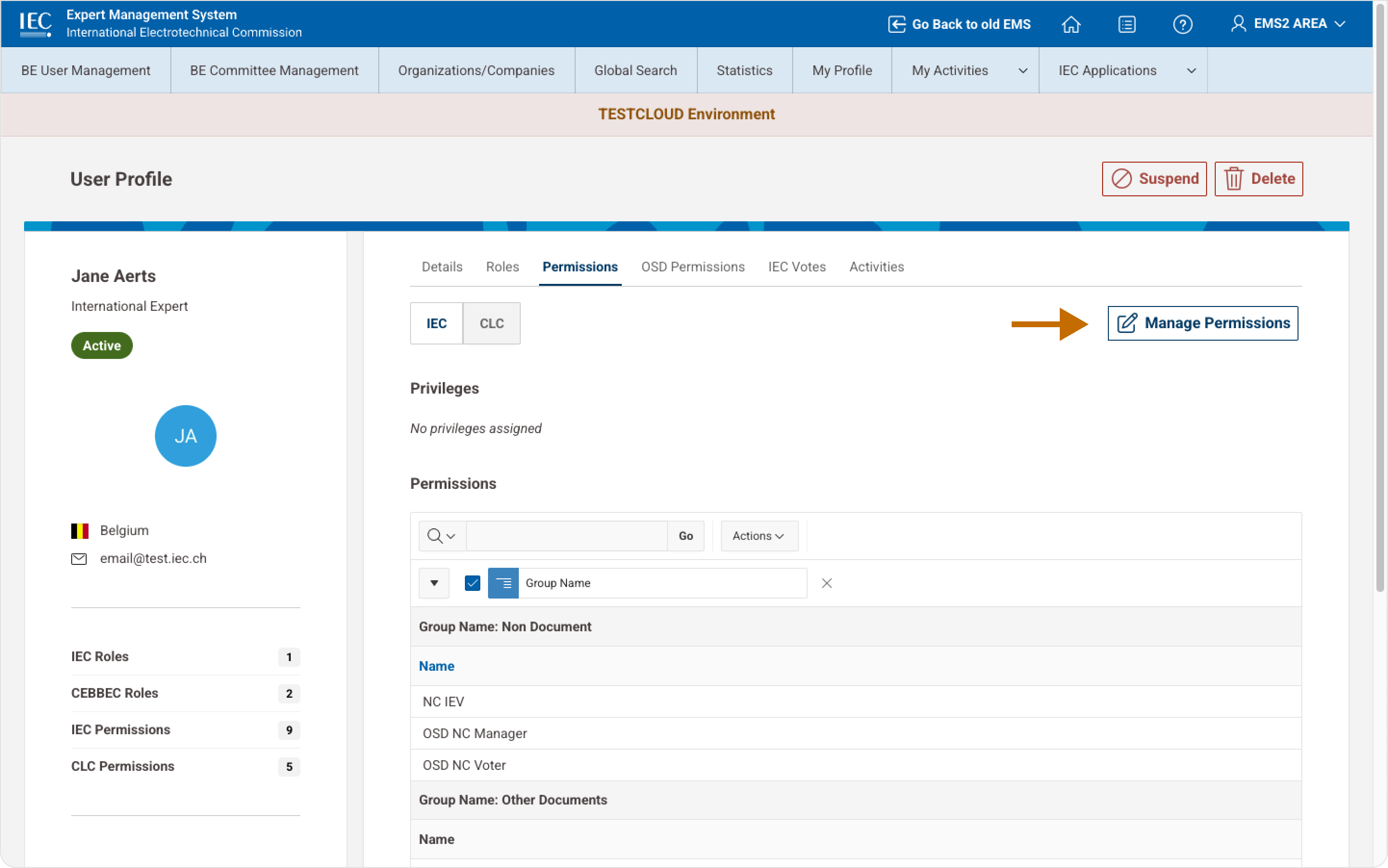
Administrators can assign or remove roles within IEC committees.
1 Manage Roles
Manage roles: steps
-
Open the User Profile
-
Navigate to the Roles tab
-
Click Manage Roles
-
Click Assign New Role
-
Select committee and role
-
Click Save
📸 Manage Roles Panel
2 Managing Permissions and Voting Rights
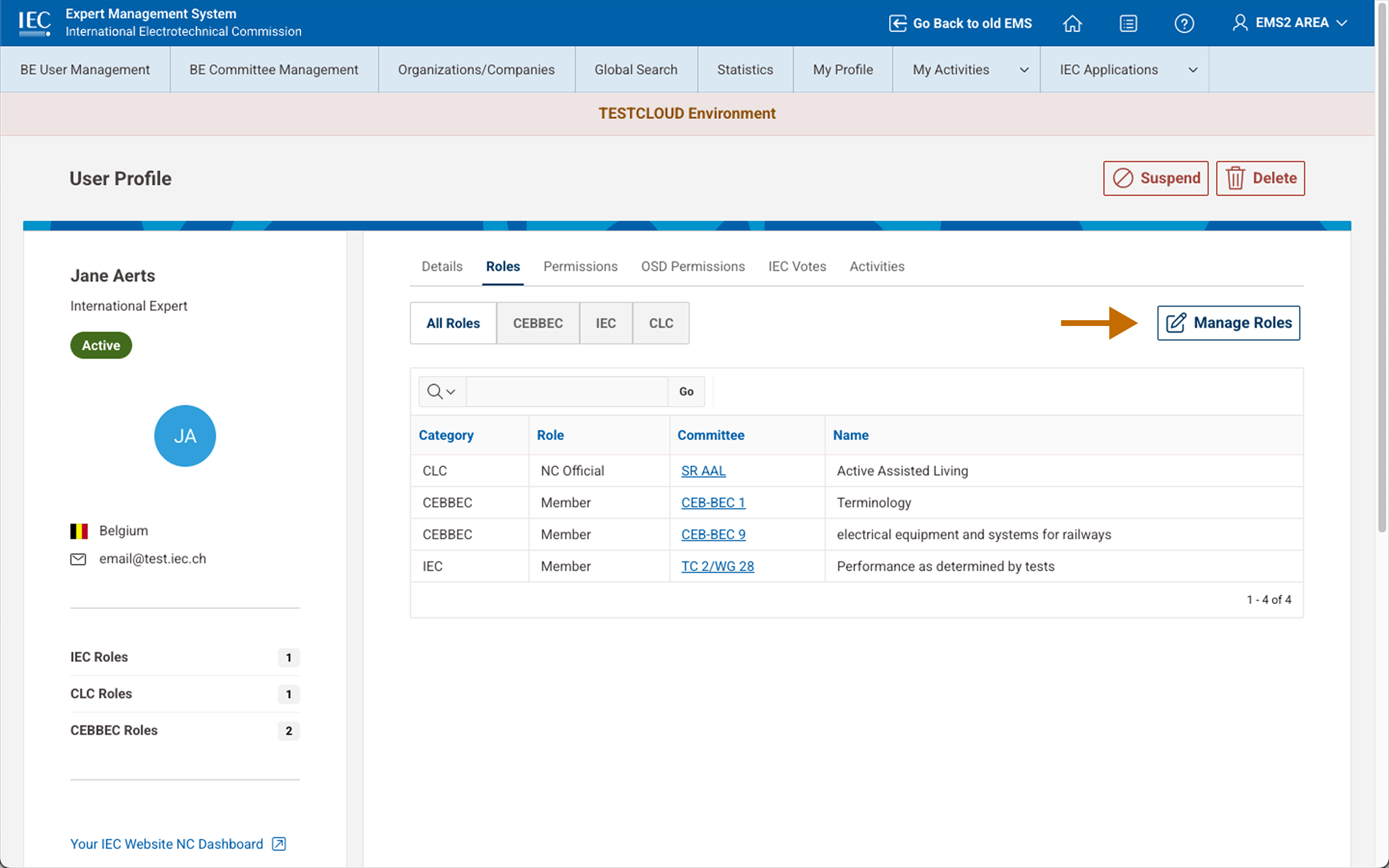
Permissions control access to IEC documents and voting systems.
Administrators can manage:
-
document access
-
committee permissions
-
voting rights
Manage permissions: steps
-
Open the User Profile
-
Navigate to Permissions
-
Click Manage Permissions
-
Select privileges
-
Save
📸 Manage Permissions