
My Dashboard
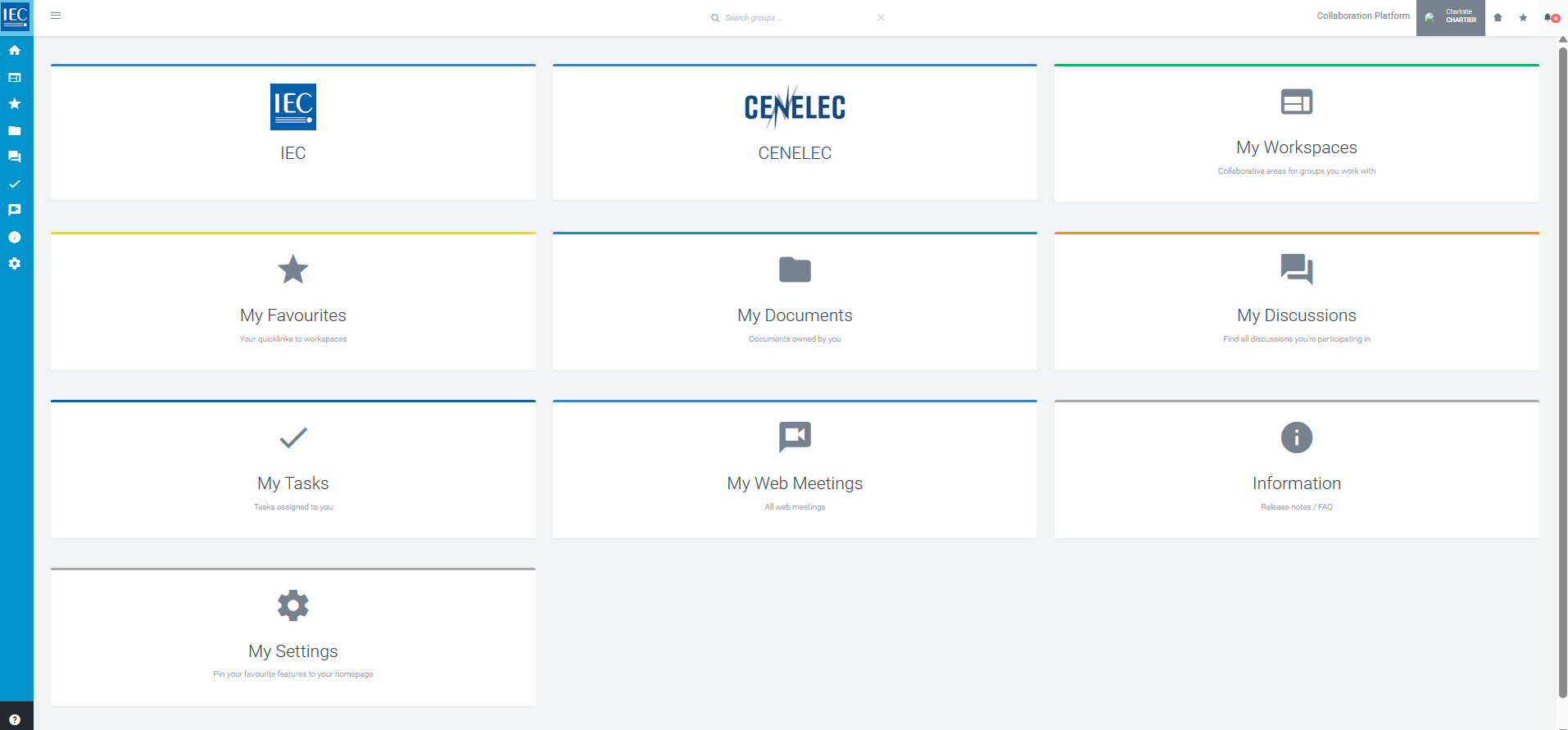
Business Groups (ex: IEC, CENELEC, BEC, etc.)
The boxes you see will depend on your roles and permissions as defined in the IEC Experts Management System (EMS). Each box provides access to the workspaces of a business group to which you have access rights.
My Workspaces (ex: TC, SC, WG, PT, MT etc.)
A list of all workspaces to which you have access, across all business groups. My Favourites When you favourite a workspace it will be listed here. Build your list of quick links of Workspaces you work with frequently, so that you can access them quickly from here.
My Favourites
[xxx]
My Documents
A list of all documents uploaded by you in any workspace.
My Discussions
A list of all discussions you are participating in.
My Tasks
A list of all tasks assigned to you in any workspace.
My Web Meetings
[xxx]
Information
Link to release notes and user documentation.
My Settings
Change your profile picture, manage which boxes appear on your dashboard, control your weekly notification subscriptions and see your activity.