Finding a CP discussion
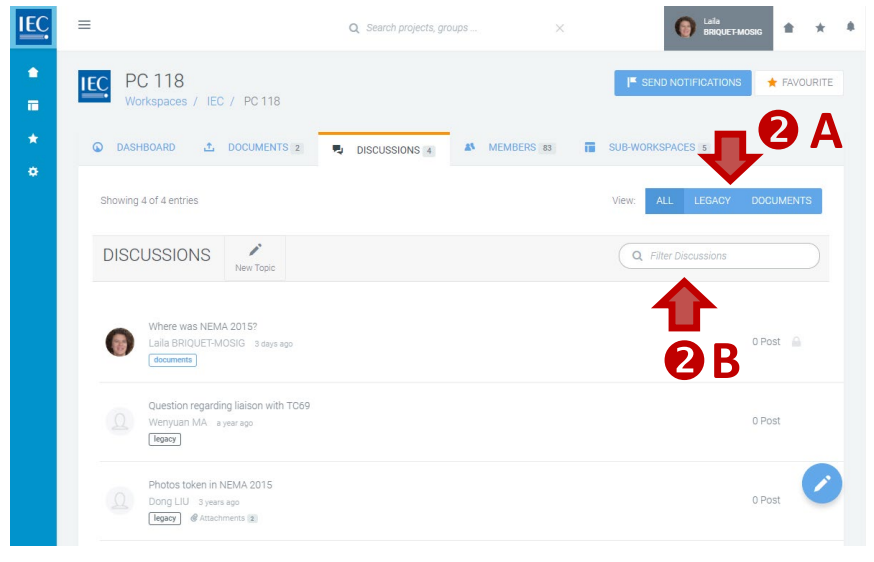
Locate the Collaboration Platform (CP) workspace which contains the discussion you want to find, then:
1. Select the DISCUSSIONS or DISCUSSIONS box
A counter displays how many discussions are available.
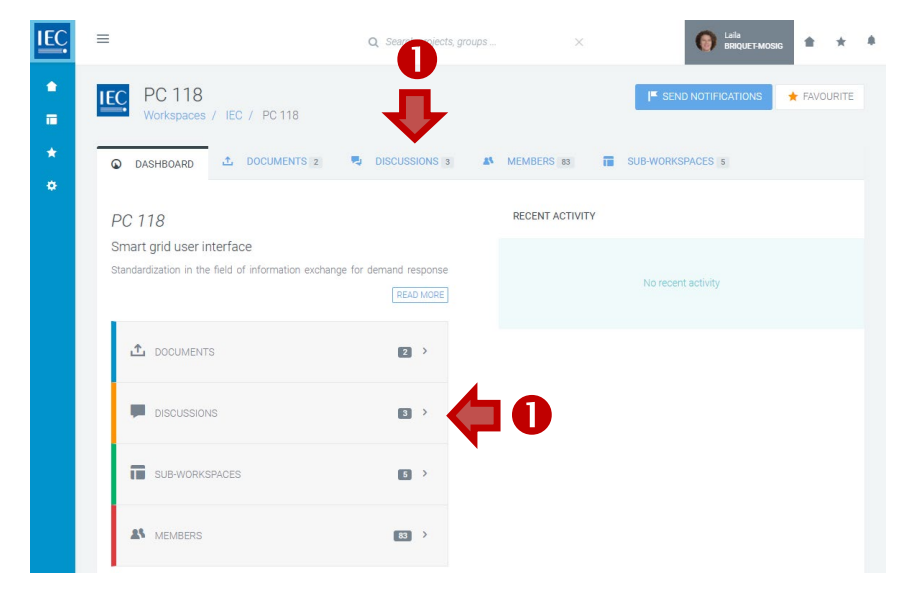
2. Switch View / Filter Discussions
In the list of discussions, you can:
A. Switch views: ALL | LEGACY | DOCUMENTS
Discussion(s) migrated from the former CTS application are tagged as LEGACY
Discussions created on a specific document are tagged as DOCUMENTS
B. Filter list (search in forum title & contents):